Loading
Get Camco - Purchaser Guide To Condocerts (2)
How it works
-

Open form follow the instructions
-

Easily sign the form with your finger
-

Send filled & signed form or save
How to use or fill out the CAMCO - Purchaser Guide To CondoCerts (2) online
This guide provides step-by-step instructions on how to complete the CAMCO - Purchaser Guide To CondoCerts (2) online. It ensures that users, regardless of their prior knowledge, can navigate the process efficiently and effectively.
Follow the steps to complete the form with ease.
- Use the ‘Get Form’ button to access the CAMCO - Purchaser Guide To CondoCerts (2). This will allow you to open the form in an interactive editor.
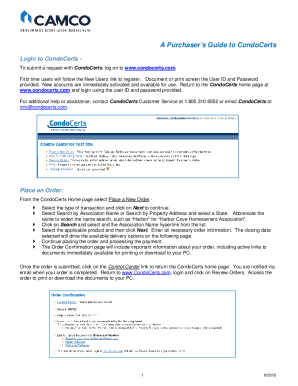
- Begin by logging into the CondoCerts platform at www.condocerts.com. First-time users should select the 'New Users' link to register for an account and document the User ID and Password provided for future use.
- Once logged in, navigate to 'Place a New Order' on the CondoCerts home page. Choose the type of transaction relevant to your needs and proceed by clicking 'Next.'
- Select either 'Search by Association Name' or 'Search by Property Address.' Enter the necessary information, possibly abbreviating the association name to broaden your search, and click 'Search.' Select the appropriate hyperlink from the results.
- From the selected association, choose the relevant product and proceed by clicking 'Next.' Here, ensure you enter all necessary order information, noting that the closing date will influence the available delivery options on subsequent pages.
- After inputting all required details, continue through the process to place your order and complete payment.
- Upon order completion, review the Order Confirmation page. It provides essential information, including links to documents that can be printed or downloaded directly to your PC.
- To check your order status, click on the 'Control Center' to return to the CondoCerts home page. You'll receive an email notification once your order is processed. Return to the site, log in, and click 'Review Orders' to access your documents for printing or download.
Start filling out your documents online today!