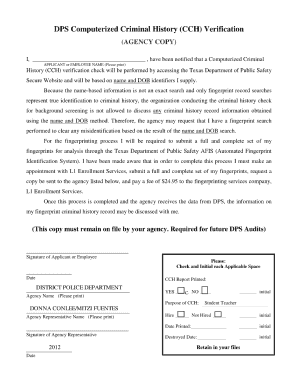
Get Tx Dps Computerized Criminal History (cch) Verification 2012
How it works
-

Open form follow the instructions
-

Easily sign the form with your finger
-

Send filled & signed form or save
How to fill out the TX DPS Computerized Criminal History (CCH) Verification online
Completing the TX DPS Computerized Criminal History (CCH) Verification is an important process for individuals seeking to verify their criminal history. This guide will provide you with clear, step-by-step instructions to help you fill out the form easily and accurately.
Follow the steps to complete the CCH Verification form online.
- Click ‘Get Form’ button to access the form and open it for editing.
- Begin by entering your personal information in the designated fields. This typically includes your full name, date of birth, and any other required identifiers.
- Next, provide your contact details, including your current address, phone number, and email address if requested on the form.
- Indicate the purpose for requesting the CCH Verification. This can usually be done by selecting from a list of options or entering a brief explanation.
- Review the sections related to your criminal history. You may need to include specifics regarding any previous arrests or convictions if applicable.
- After ensuring all information is accurate, proceed to the signature section. You may have to sign electronically or type your name as required.
- Finally, save your changes, and choose to download, print, or share the completed form as needed.
Complete your TX DPS Computerized Criminal History (CCH) Verification form online today.
Get form
A CCH background check is a detailed review of an individual's computerized criminal history record. This check typically includes information about arrests, charges, and court outcomes. The TX DPS Computerized Criminal History (CCH) Verification provides access to this comprehensive data, making it an invaluable tool for employers and individuals who need to evaluate criminal histories effectively.