Loading
Get Baycare Bc 4761 2023-2026
How it works
-

Open form follow the instructions
-

Easily sign the form with your finger
-

Send filled & signed form or save
How to fill out the BayCare BC 4761 online
Filling out the BayCare BC 4761 form is an essential step in authorizing the disclosure of your protected health information. This guide provides clear instructions for users of all experience levels on how to complete this form accurately and efficiently.
Follow the steps to complete the BayCare BC 4761 form online
- Click ‘Get Form’ button to access the necessary form. This action will allow you to open and review the document online.
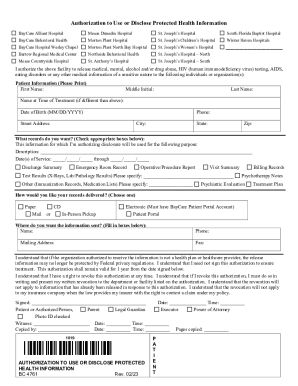
- Begin by filling out the patient information section. Provide your first name, middle initial, last name, and any previous name used at the time of treatment. Then, enter your date of birth (in MM/DD/YYYY format), phone number, street address, city, state, and zip code.
- Indicate which medical records you wish to authorize for disclosure by checking the appropriate boxes provided. This will include options such as discharge summaries, emergency room records, operative reports, or any other relevant medical information.
- Specify the purpose of the information release in the designated field, ensuring that you provide a clear and concise description.
- Enter the date(s) of service for which you are requesting records by filling in the start and end dates.
- Choose your preferred method of receiving the records. Options may include receiving the records in person, by mail, electronically, or on a CD. Make sure to select only one method.
- Provide the delivery information for where you would like the records sent, including the name, phone number, mailing address, and fax number, if applicable.
- Read the important statements regarding the authorization and revocation process carefully. This ensures you understand your rights related to the disclosure of information.
- Sign and date the authorization at the bottom of the form. You will also need to specify your relationship to the patient if you are not the patient themselves.
- Once you have completed filling out the form, review it for accuracy. You can then save changes, download, print, or share the completed document as needed.
Take action now and complete your BayCare BC 4761 form online for efficient management of your health information.