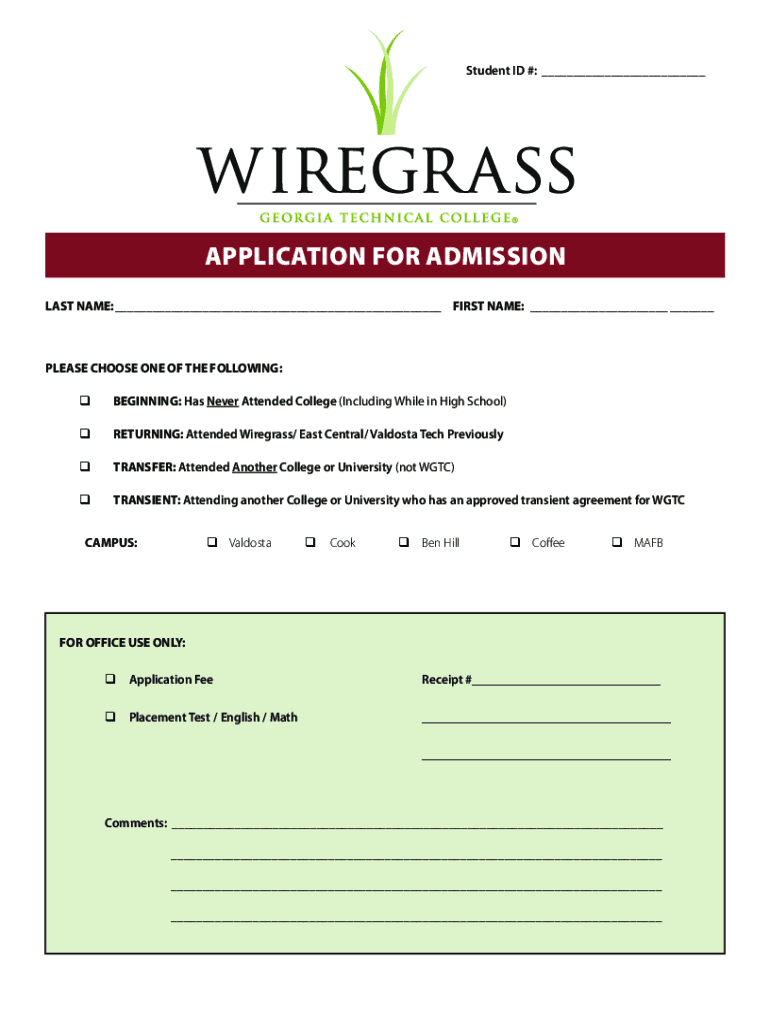
THE FOLLOWING: q BEGINNING: Has Never Attended College (Including While in High School) q RETURNING: Attended Wiregrass/ East Central/ Valdosta Tech Previously q TRANSFER: Attended Another College or University (not WGTC) q TRANSIENT: Attending another College or University who has an approved transient agreement for WGTC CAMPUS: q Valdosta q Cook q Ben Hill q Coffee q MAFB FOR OFFICE USE ONLY: q Application Fee Receipt #.
Loading

Open form follow the instructions

Easily sign the form with your finger

Send filled & signed form or save
How to fill out the Wiregrass Georgia Technical College Application For Admission online
Filling out the Wiregrass Georgia Technical College Application For Admission online is a straightforward process designed to help you submit your request for admission efficiently. This guide provides step-by-step instructions to ensure that you complete each section accurately and confidently.
Follow the steps to complete your application effectively.
- Press the ‘Get Form’ button to access the application form and open it in the designated document editor.
- Begin by entering your personal information in Section 1. You will be asked to provide your social security number, date of birth, full name, contact number, email address, and mailing address. Ensure that all details are accurate and up to date.
- In Section 2, complete the statistical data section, which includes gender and race/ethnicity information. Remember, this information is for reporting purposes and does not affect your admission status.
- Move to Section 3 to verify your lawful presence information. Here, indicate whether you are a U.S. citizen or provide details regarding your residency status if you are not.
- Next, fill out Section 4 regarding your residency information. Your answers in this section will help determine your tuition rates and eligibility for financial aid.
- In Section 5, provide your high school information. Specify whether you graduated, will graduate, or obtained your high school equivalency. Include the name of the high school and the graduation year.
- Proceed to Section 6 to list any colleges or universities you have previously attended. Be thorough in providing the names of the institutions and the degrees earned where applicable.
- Fill out Section 7 to disclose any military information if applicable. Indicate if you are active duty, a veteran, or a dependent of a service member and provide the relevant branch of the military.
- In Section 8, choose your program of study and the desired term of enrollment. Ensure you select the correct program level and specialization if required.
- Finally, review the authorization statement at the bottom of the form, sign, and date it. Confirm that you have understood all clauses before submission.
- Once all sections are completed, save the changes made to the application. You may then choose to download, print, or share the form as needed.
Complete your application online today to take the next step towards your educational journey.
Experience a faster way to fill out and sign forms on the web. Access the most extensive library of templates available.
Related content
for admission and who were notified of one of the following actions: admission...
Click to get the software. ONLINE Application for Graduation · Diploma Replacement Form...
Jan 13, 2021 — ... 2021. CARES Act. Minimum Amount. Section 314(a)(1)(E) Minimum Amount...
Get answers to your most pressing questions about US Legal Forms API.
What is proof of residency for CGTC?
Please submit acceptable documentation for proof of residency such as a driver's license or birth certificate. For a complete list of acceptable documents, contact the Office of Admissions. Documentation MUST be submitted to receive the in-state rate.
How to apply for Cgtc?
Applications may be completed online through centralgatech.my.site.com/apply, through the GAfutures website, or paper applications may be obtained in the Admissions Office. A non-refundable application fee must be submitted along with a completed application.
What are the requirements for CGTC?
Student Eligibility Have a high school diploma (or equivalent) or pass an approved Ability-to-Benefit Test; and. Make satisfactory academic progress; and. Not be in default/overpayment/exceed limit on any type of student loan; and. Not owe a refund on any type of federal or state aid; and.
How to apply for a technical college in Georgia?
Apply Now Apply Online to the Admissions office and pay a $25 non-refundable application fee. Submit an official copy of a high school transcript or GED® transcript. An unofficial copy will be accepted until the official copy can be obtained. Students must register online to attend the required New Student Orientation.
How much is the application fee for CGTC?
Pay the application fee Pay non-refundable application fee of $25.00 by cash, check, money order, or credit/debit card (Visa or MasterCard).
What is the acceptance rate for wiregrass?
Admissions Summary Wiregrass Georgia Technical College is less selective with an acceptance rate of 83%.
How do I get into Wiregrass?
Enrollment at Wiregrass Georgia Technical College is a multi-step process consisting of applying to the College, the evaluation of prior academic experience for the assessment of academic preparedness, and verification of lawful presence in the United States: Complete an Application for Admission/Readmission.
What is the acceptance rate for Central Georgia Tech college?
Central Georgia Tech is an above-average public college located in Warner Robins, Georgia in the Macon Area. It is a small institution with an enrollment of 1,772 undergraduate students. The Central Georgia Tech acceptance rate is 100%.
Use professional pre-built templates to fill in and sign documents online faster. Get access to thousands of forms.
If you believe that this page should be taken down, please follow our DMCA take down process here.