Loading
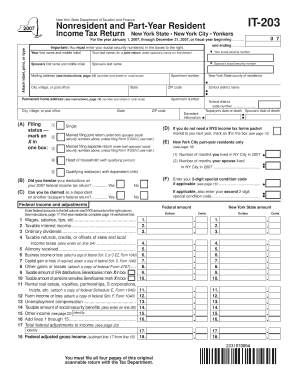
Get It-203 New York State Department Of Taxation And Finance Nonresident And Part-year Resident Income
How it works
-

Open form follow the instructions
-

Easily sign the form with your finger
-

Send filled & signed form or save
How to fill out the IT-203 New York State Department Of Taxation And Finance Nonresident And Part-Year Resident Income online
Filing your taxes online can simplify the process, particularly when using the IT-203 form for nonresidents and part-year residents of New York. This guide provides step-by-step instructions to help you complete the form accurately and efficiently.
Follow the steps to fill out the IT-203 form online.
- Click ‘Get Form’ button to obtain the form and open it in the editor.
- Enter your personal information: Provide your first name, middle initial, last name, and social security number in the designated fields. If filing jointly, also enter your spouse’s information in the corresponding sections.
- Complete your mailing address: Fill in your complete mailing address, including the street number, city or village, state, and ZIP code.
- Select your filing status: Mark an X in the box corresponding to your filing status, such as single, married filing jointly, or head of household.
- Indicate residency: If applicable, specify the number of months you and your spouse resided in New York City during the tax year.
- Report your income: Enter your federal income amounts and adjustments in the left column, and the corresponding New York State amounts in the right column for each income type listed.
- Calculate New York additions and subtractions: Complete the sections for any necessary additions to income and subtractions, as guided throughout the form.
- Determine your taxable income: Use the provided formulas to compute your New York taxable income based on your deductions and exemptions.
- Complete tax computations: Follow the instructions to calculate your New York State tax, including any applicable credits and total taxes owed.
- Fill out payment information: Enter any payments you have made or credits you are claiming, and indicate whether you would like a refund or intend to make a payment.
- Review and verify all entries: Carefully check each section for accuracy to ensure that the information is complete and correct.
- Save and submit: Once everything is properly filled, save your changes, and proceed to print or share the form as needed.
Start filling out the IT-203 form online now to ensure a smooth tax filing process.
To determine how much tax you owe, use Form IT-203, Nonresident and Part‑Year Resident Income Tax Return. You will compute a base tax as if you were a full-year resident, then determine the percentage of your income that is subject to New York State tax and the amount of tax apportioned to New York State.
Industry-leading security and compliance
US Legal Forms protects your data by complying with industry-specific security standards.
-
In businnes since 199725+ years providing professional legal documents.
-
Accredited businessGuarantees that a business meets BBB accreditation standards in the US and Canada.
-
Secured by BraintreeValidated Level 1 PCI DSS compliant payment gateway that accepts most major credit and debit card brands from across the globe.