Loading
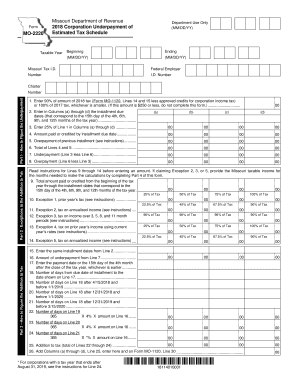
Get Mo Mo-2220 2018
How it works
-

Open form follow the instructions
-

Easily sign the form with your finger
-

Send filled & signed form or save
How to fill out the MO MO-2220 online
Filling out the MO MO-2220 form can be straightforward with the right guidance. This comprehensive guide provides detailed instructions to help you navigate each section and field of the form efficiently and accurately.
Follow the steps to complete the MO MO-2220 online.
- Click ‘Get Form’ button to obtain the form and open it in your online editor.
- Enter your Missouri Tax I.D. number in the designated field on the form.
- Provide the Federal Employer I.D. number for identification.
- In Part 1, figure the underpayment by entering 90% of your 2018 tax (as reported on Form MO-1120) or 100% of your previous year's tax, whichever is smaller. If this amount is $250 or less, you do not need to complete this form.
Complete the MO MO-2220 online today to ensure accurate tax reporting and compliance.
Get form
Experience a faster way to fill out and sign forms on the web. Access the most extensive library of templates available.
Get This Form Now!
Use professional pre-built templates to fill in and sign documents online faster. Get access to thousands of forms.