Loading
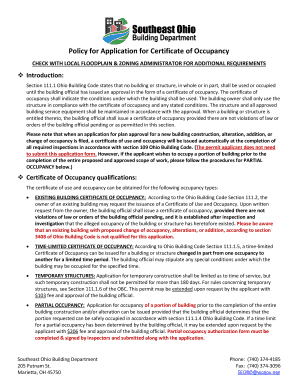
Get Oh Application For Certificate Of Occupancy - Washington County 2015-2025
How it works
-

Open form follow the instructions
-

Easily sign the form with your finger
-

Send filled & signed form or save
How to fill out the OH Application For Certificate Of Occupancy - Washington County online
Completing the OH Application For Certificate Of Occupancy is an essential step in ensuring your building complies with local regulations and can be safely occupied. This guide provides a clear, step-by-step approach to help users of all experience levels fill out the form correctly online.
Follow the steps to complete your application for a certificate of occupancy.
- Click ‘Get Form’ button to obtain the form and open it in the editor.
- Select the type of certificate of occupancy you are requesting by checking the appropriate box (e.g., Temporary Structure, Partial Occupancy, Existing Building, Time-Limited Occupancy). Ensure you understand the unique requirements for each type.
- Provide the necessary details related to the project including the parcel number, the county, and whether the building is located in an incorporated city, township, or village.
- Enter the name of the project and its physical address. It is important to be specific to aid in inspection and correspondence.
- Complete the owner information, including contact details and the owner’s address. Also provide the name, address, and contact information of the person submitting the application.
- If applying for partial occupancy, specifically list the areas or rooms where occupancy is being requested. Include these details in the form.
- Indicate the building use group and construction type. This information should conform to the relevant chapters of the Ohio Building Code.
- Mention if the areas of work have received approval for final inspection or testing, providing details for each scope of work such as fire suppression and plumbing.
- Fill out the building-related information accurately to assist in the evaluation of your occupancy request.
- Calculate and enter the fees to be paid for your application, including inspection fees and the certificate fee.
- Make sure the application is signed by either the owner or the designated agent. This verifies the information provided is accurate and complete.
- Select the method of payment for the application fees, ensuring that checks or money orders are made payable to Southeast Ohio Building Department.
- After reviewing all completed sections and ensuring all necessary documents are attached, save changes, download, print, or share the form as needed.
Complete your OH Application For Certificate Of Occupancy online today to ensure your building complies with local regulations.
The occupancy load is calculated by dividing the area of a room by its prescribed unit of area per person. Units of area per person for specific buildings can be found in the chart at the end of this article.
Industry-leading security and compliance
US Legal Forms protects your data by complying with industry-specific security standards.
-
In businnes since 199725+ years providing professional legal documents.
-
Accredited businessGuarantees that a business meets BBB accreditation standards in the US and Canada.
-
Secured by BraintreeValidated Level 1 PCI DSS compliant payment gateway that accepts most major credit and debit card brands from across the globe.