Loading
Get Canada Task Registration Form - British Columbia 2015-2026
How it works
-

Open form follow the instructions
-

Easily sign the form with your finger
-

Send filled & signed form or save
How to fill out the Canada Task Registration Form - British Columbia online
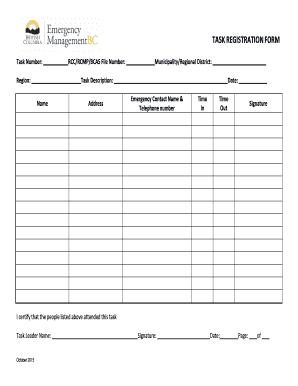
This guide provides clear, step-by-step instructions on how to accurately complete the Canada Task Registration Form for British Columbia online. Whether you are new to this process or looking for a refresher, this resource will help you navigate the form with ease.
Follow the steps to complete the form successfully.
- Click ‘Get Form’ button to obtain the form and open it in the editor.
- Fill in the task number and specify the region where the task will take place.
- Enter the RCC/RCMP/BCAS file number if applicable; this helps in tracking the task.
- Indicate the municipality or regional district where the task is being carried out.
- Provide a detailed task description to inform relevant parties about the nature and scope of the task.
- Enter the name of the person responsible for the task as well as their address for reference.
- Specify the date of the task to ensure all information is current and relevant.
- Fill in the emergency contact name along with their telephone number for any urgent situations.
- Record the time in and time out to accurately reflect the duration of the task.
- The task leader must sign to certify that the people listed attended the task.
- After completing all fields, ensure to save your changes, download a copy, print, or share the form as needed.
Complete your documents online today for efficient digital management.