Loading
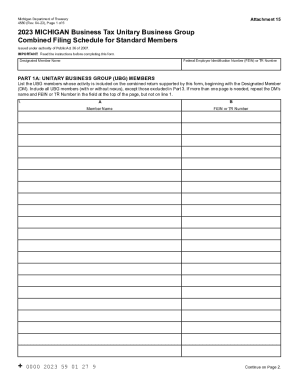
Get Mi Dot 4580 2023-2026
How it works
-

Open form follow the instructions
-

Easily sign the form with your finger
-

Send filled & signed form or save
How to fill out the MI DoT 4580 online
The MI DoT 4580 is an essential form for reporting the combined filing schedule of standard members within a Unitary Business Group in Michigan. This guide will walk you through each section of the form, ensuring you understand how to complete it accurately and efficiently.
Follow the steps to complete the MI DoT 4580 online effectively.
- Press the ‘Get Form’ button to access the MI DoT 4580 form and open it in the editor.
- Fill in the 'Designated Member Name' and 'Federal Employer Identification Number (FEIN) or TR Number' in the specified fields.
- In Part 1A, list all members of the Unitary Business Group starting with the Designated Member. Ensure to fill in the 'Member Name' and 'FEIN or TR Number' for each member.
- Proceed to Part 1B. Complete a separate copy for each member listed in Part 1A and provide the 'Member Name', 'Organization Type', 'Member Street Address', 'City', 'State', 'ZIP/Postal Code', and 'Federal Tax Period Included in Return'.
- Fill in information regarding nexus, if applicable, by checking the appropriate boxes in Part 1B.
- In Part 2A, provide detailed financial data for each member listed in Part 1B, ensuring that you enter whole dollars only for each field.
- Calculate any deductions applicable to the member and enter those amounts in the designated areas in Part 2A.
- After completing Part 2A, move to Part 2B to summarize the business activities, ensuring to record eliminations where appropriate.
- Lastly, review all sections for accuracy. Once you have confirmed all information is complete, save your changes, then download or print the filled-out MI DoT 4580 for your records.
Start filling out the MI DoT 4580 online now to ensure accurate tax reporting.