Loading
Get Manulife Gl3576 2018-2026
How it works
-

Open form follow the instructions
-

Easily sign the form with your finger
-

Send filled & signed form or save
How to fill out the Manulife GL3576 online
Filling out the Manulife GL3576 form online is a straightforward process that requires accurate information to ensure your claim is processed smoothly. This guide will provide you with detailed instructions for each section of the form, helping you complete it with confidence.
Follow the steps to complete your Manulife GL3576 online.
- Click ‘Get Form’ button to access the Manulife GL3576. This will allow you to begin filling out your claim.
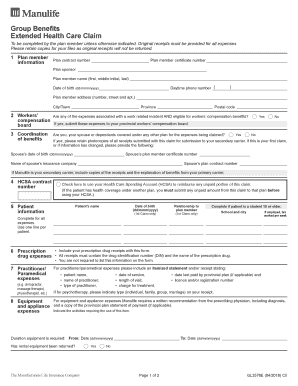
- Provide your plan member information. Enter the plan contract number, plan member certificate number, and complete your name, telephone number, date of birth, and address. Ensuring that your contact details are correct is essential for communication regarding your claim.
- Respond to the workers' compensation board question. Indicate if any of the expenses are work-related and eligible for workers’ compensation benefits.
- Complete the coordination of benefits section. Indicate if you or your dependants have coverage under another plan, and provide details if applicable. Remember to retain copies of any receipts submitted.
- If applicable, enter your Health Care Spending Account contract number and check the box to use it for any unpaid portions of your claim.
- Fill in the patient information section. Include the patient's name, date of birth, and relation to the plan member. If the patient is a student aged 18 or older, provide their employment details.
- Document all prescription drug expenses. Make sure to include your relevant receipts.
- Detail any practitioner or paramedical expenses such as chiropractor or physical therapist costs. Itemized receipts should include specific details about the service.
- Report any equipment and appliance expenses. Attach a written recommendation from the prescribing physician and relevant payment statements, if available.
- Enter vision care expenses, detailing costs for exams, glasses, or surgery, along with the supplier's confirmation if necessary.
- Complete the banking information section only if you are providing new or updated information to receive payments via direct deposit.
- Confirm the total amount of all receipts submitted in the claims confirmation section.
- Read through the authorization and consent statement carefully. Confirm your understanding and complete the signature section along with the date signed.
- Finally, follow the mailing instructions to send the completed form and receipts to Manulife Group Benefits.
- After completing all sections, you may save your changes, download a copy, print, or share your completed form as needed.
Start filling out your Manulife GL3576 online today to ensure timely processing of your health care claims.
Related links form
Most claims take 5 to 20 business days to process. To find out your claim status, call us at 1-888-626-8543 with the policy number.