Loading
Get Ar Tax Tables 2023-2026
How it works
-

Open form follow the instructions
-

Easily sign the form with your finger
-

Send filled & signed form or save
How to fill out the AR Tax Tables online
This guide provides a step-by-step approach to filling out the AR Tax Tables online. By following these instructions, you will gain a clear understanding of how to accurately complete this important tax form.
Follow the steps to successfully fill out the AR Tax Tables.
- Use the ‘Get Form’ button to access the AR Tax Tables document and open it in the designated editor.
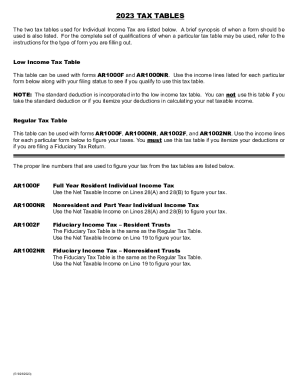
- Identify your filing status to determine which tax table is applicable. The AR Tax Tables include the Low Income Tax Table and the Regular Tax Table. Match your income level with the corresponding table.
- Refer to the Low Income Tax Table if your total income falls within the specified limits based on your filing status. Remember, you cannot use this table if you are itemizing deductions or taking the standard deduction.
- If you are eligible to use the Regular Tax Table, locate your net taxable income on the appropriate line of the table based on your filing status.
- Calculate your tax by matching your net taxable income with the corresponding tax amount listed to the right in the table.
- Enter the calculated tax amount on the designated line of your tax form (AR1000F, AR1000NR).
- Ensure all information is accurate, then save your changes. You may choose to download, print, or share your completed form as needed.
Start completing your tax documents online today to ensure timely filing and compliance.
This is the third consecutive year that Arkansas has lowered personal income tax rates. Under SB 549, the top marginal personal income tax rate was lowered from 4.9% to 4.7% retroactive to January 1, 2023.