Get Pa Pa-8879p 2022
How it works
-

Open form follow the instructions
-

Easily sign the form with your finger
-

Send filled & signed form or save
How to fill out the PA PA-8879P online
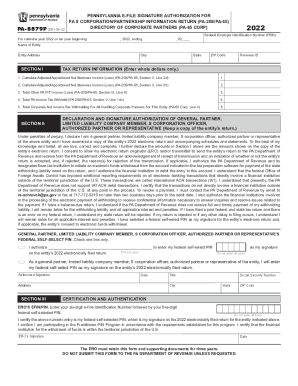
Filling out the PA PA-8879P form is a crucial step for general partners, limited liability company members, and S corporation officers who need to electronically sign an entity's tax return. This guide provides clear, step-by-step instructions to ensure that users can navigate the process with confidence.
Follow the steps to complete the PA PA-8879P form online.
- Click ‘Get Form’ button to acquire the PA PA-8879P form and open it in your preferred editing tool.
- Enter the Federal Employer Identification Number (FEIN) for the entity in the designated field.
- Provide the name of the entity and complete its address, including the city, state, and ZIP code.
- In Section I, input the Adjusted/Apportioned Net Business Income (Loss) amounts as specified, including lines 2d, 2h, and total other PA PIT income as applicable.
- Fill in the total PA income tax withheld and total corporate net income tax withholding amounts where indicated.
- Proceed to Section II and verify the accuracy of the tax return. Select the appropriate box indicating whether you authorize the ERO to enter your federal self-select PIN.
- If authorizing the ERO, state your federal self-select PIN, ensuring it is not composed entirely of zeros.
- Complete the remaining fields in Section II, including your title and signature, as well as the date.
- In Section III, the ERO must enter their six-digit EFIN followed by their five-digit federal self-selected PIN.
- Make sure to keep a copy of the completed form and return it to the ERO via designated methods.
Complete your forms online today to ensure compliance and ease in submission.
Get form
The ERO must retain Forms 8879 and 8878 for three years from the return due date or the IRS received date, whichever is later. EROs must not send Forms 8879 and 8878 to the IRS unless the IRS requests they do so. Once signed, an ERO must originate the electronic submission of a return as soon as possible. Signing an Electronic Tax Return iastate.edu https://.calt.iastate.edu › signing-electronic-tax-return iastate.edu https://.calt.iastate.edu › signing-electronic-tax-return