Loading
Get Au Scia Oe01 (formerly Gs01) 2017-2026
How it works
-

Open form follow the instructions
-

Easily sign the form with your finger
-

Send filled & signed form or save
How to use or fill out the AU SCIA OE01 (Formerly GS01) online
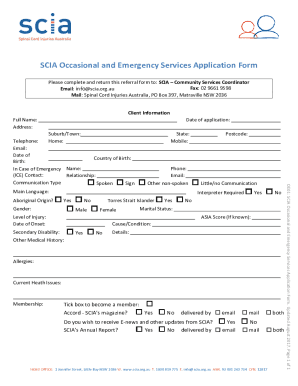
The AU SCIA OE01 form is essential for individuals seeking occasional and emergency services from Spinal Cord Injuries Australia. This guide provides step-by-step instructions for completing the form online, ensuring that you can fill it out with ease and confidence.
Follow the steps to successfully complete the form online.
- Click the ‘Get Form’ button to access the AU SCIA OE01 form and open it in the editor.
- Begin with the 'Client Information' section. Fill in your full name, current address, date of application, and contact details such as home phone, mobile, and email address. Make sure to include your country of birth and the date of your birth.
- In the 'In Case of Emergency' section, provide the name and relationship of your emergency contact. Specify the preferred communication type by checking the appropriate box.
- Next, fill out the 'Gender' section and indicate your level of injury along with the date of its onset. If applicable, note any secondary disabilities and provide relevant medical history.
- Complete the 'Living Situation' section by describing where you currently reside, including whether it is rented, owned, or a supported living environment.
- In the 'Support Needs' section, assess and indicate your level of independence in various activities such as mobility, communication, and general tasks.
- Provide details about your employment status, main income source, and the relationship status with your carer. Include information about the carer’s residency status and age.
- Lastly, review all information for accuracy. You can then save changes, download a copy, print the form for your records, or share it as needed.
Submit your completed AU SCIA OE01 form online to ensure you receive the support and services you need.