Loading

Open form follow the instructions

Easily sign the form with your finger

Send filled & signed form or save
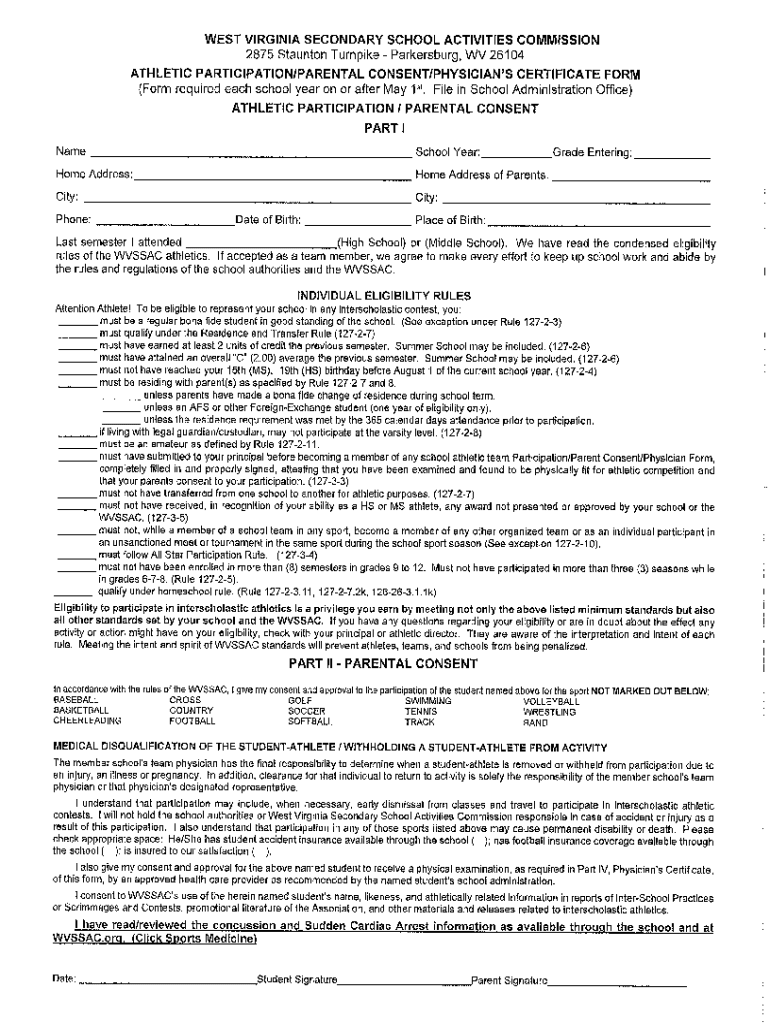
How to fill out the WV Athletic Participation/Parental Consent/Physician's Certificate Form online
Filling out the WV Athletic Participation/Parental Consent/Physician's Certificate Form online ensures that your child can safely participate in athletic activities. This guide provides comprehensive, step-by-step instructions to help users complete the form accurately and efficiently.
Follow the steps to fill out the form correctly.
- Click ‘Get Form’ button to access the form and open it in the chosen editor.
- Begin by entering the participant's personal information in the designated fields, including their full name, date of birth, and school name.
- Next, provide the contact details for the parent or guardian, making sure to include their name, phone number, and email address.
- Complete the health history section by answering all questions honestly, ensuring to report any relevant medical conditions or concerns.
- Review the parental consent section carefully, checking the boxes to indicate agreement and signing as required.
- If applicable, include the physician's certificate by obtaining the necessary signature from a qualified medical professional.
- Finally, save your changes, and choose the option to download, print, or share the completed form as needed.
Start completing your forms online now for seamless athletic participation!
Experience a faster way to fill out and sign forms on the web. Access the most extensive library of templates available.
Related content
Jul 14, 2021 — Athletic Participation/Parental Consent/Physician's Certificate Form...
In accordance with the rules of the WVSSAC, I give my consent and approval to the...
safest form of opium had to be this . The high regard for. Sertuerner's invention among...
Use professional pre-built templates to fill in and sign documents online faster. Get access to thousands of forms.
If you believe that this page should be taken down, please follow our DMCA take down process here.