Loading
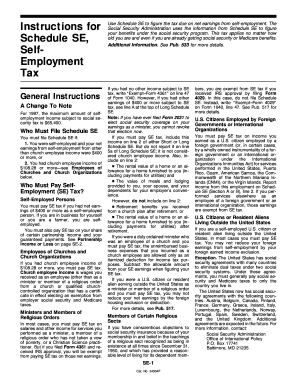
Get Instructions For Schedule Se - Uncle Fed's Tax*board
How it works
-

Open form follow the instructions
-

Easily sign the form with your finger
-

Send filled & signed form or save
How to fill out the instructions for Schedule SE - Uncle Fed's Tax*Board online
Filing your taxes can be a complex process, especially if you are self-employed. This guide provides clear and detailed instructions on how to fill out the Instructions for Schedule SE - Uncle Fed's Tax*Board online, ensuring you understand each component and how to navigate the form effectively.
Follow the steps to fill out the Instructions for Schedule SE online.
- Click ‘Get Form’ button to obtain the form and open it in the editor.
- Review the eligibility criteria for filing Schedule SE. Ensure that your net earnings from self-employment are $400 or more, or your church employee income is $108.28 or more.
- Determine if you must pay self-employment tax based on your earnings. Self-employed individuals must file if their net earnings from self-employment meet the specified thresholds.
- Use the guide to understand any exceptions, such as income from church employment or if you are a minister who has filed for exemption.
- Fill out the relevant sections of Schedule SE, including lines for net earnings. Report partnership income as necessary and ensure to subtract any allowable business expenses.
- If applicable, evaluate whether you can use optional methods to calculate your net earnings from self-employment based on your gross income.
- Double-check all entries for accuracy. Include additional notes or explanations for any adjustments made on your net earnings.
- Once completed, save your changes, and download or print the form for your records.
- Finally, share the completed form with your tax preparation professional if needed or submit it through the appropriate channels.
Start completing your Schedule SE form online today to ensure accurate self-employment tax reporting.
Line 7 reports your net capital gain or loss. Capital gains and losses are created when securities or other capital assets are sold throughout the year in taxable accounts. Typically, Schedule D and Form 8949 will also be required to report the details of your transactions for the year.
Industry-leading security and compliance
US Legal Forms protects your data by complying with industry-specific security standards.
-
In businnes since 199725+ years providing professional legal documents.
-
Accredited businessGuarantees that a business meets BBB accreditation standards in the US and Canada.
-
Secured by BraintreeValidated Level 1 PCI DSS compliant payment gateway that accepts most major credit and debit card brands from across the globe.