Loading
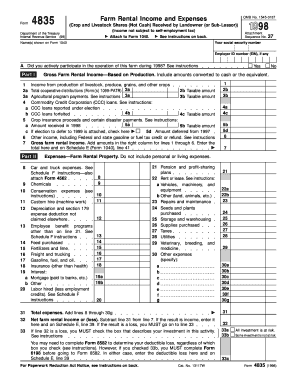
Get Department Of The Treasury Internal Revenue Service (99) Name(s) Shown On Form 1040 37 Your Social
How it works
-

Open form follow the instructions
-

Easily sign the form with your finger
-

Send filled & signed form or save
How to fill out the Department Of The Treasury Internal Revenue Service (99) Name(s) Shown On Form 1040 37 Your Social online
Filling out the Department Of The Treasury Internal Revenue Service Form 1040 is an essential step for individuals reporting their income and tax information. This guide will provide you with comprehensive, step-by-step instructions to complete the form efficiently and accurately, particularly focusing on the section for name and social security details.
Follow the steps to complete your tax form accurately.
- Click the ‘Get Form’ button to access the form and initiate the editing process.
- Enter the name(s) as they appear on your tax documents in the designated field labeled 'Name(s) shown on Form 1040'. Ensure that the spelling and order are correct to avoid discrepancies.
- Input your social security number in the corresponding field. This information is crucial for the IRS to correctly match the form with your tax records.
- Review and verify that all entries are accurate and complete. Take a moment to ensure that your name(s) and social security number are correctly recorded.
- Once you have finished entering your details, save the changes to your document to prevent any loss of information.
- At this point, you can choose to download the completed form for your records, print it for submission, or share it as needed according to your filing requirements.
Complete your document submissions online to ensure a smoother filing process.
If your only income is social security disability benefits, it's unlikely that you will owe the IRS anything at the end of the year or need to file a return. Clearly, if you don't file, you also won't earn a refund check. But, this is only if your sole income is the benefits.
Industry-leading security and compliance
US Legal Forms protects your data by complying with industry-specific security standards.
-
In businnes since 199725+ years providing professional legal documents.
-
Accredited businessGuarantees that a business meets BBB accreditation standards in the US and Canada.
-
Secured by BraintreeValidated Level 1 PCI DSS compliant payment gateway that accepts most major credit and debit card brands from across the globe.