Loading
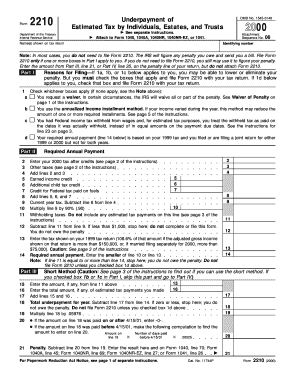
Get Department Of The Treasury Internal Revenue Service 06 Name(s) Shown On Tax Return Identifying
How it works
-

Open form follow the instructions
-

Easily sign the form with your finger
-

Send filled & signed form or save
How to fill out the Department Of The Treasury Internal Revenue Service 06 Name(s) Shown On Tax Return Identifying online
Filling out the Department Of The Treasury Internal Revenue Service 06 Name(s) Shown On Tax Return Identifying can be straightforward with the right guidance. This step-by-step guide provides a clear approach to assist you in completing the form accurately online.
Follow the steps to accurately complete the form online.
- Click the ‘Get Form’ button to access the document and open it in your preferred format.
- Identify the section labeled 'Name(s) shown on tax return.' Carefully enter the names as they appear on your tax return in the appropriate field.
- Locate the identifying number field. Enter your Social Security Number or Employer Identification Number as required.
- Proceed to 'Part I' where you need to check the relevant boxes that apply to your situation. Make sure you understand each option before marking any.
- In 'Part II', focus on entering your 2000 tax after credits on line 2. Continue to fill out the other lines as instructed, adding totals where necessary.
- Complete 'Part III' if needed, using the short method or follow through for calculations that might indicate an underpayment penalty.
- If necessary, fill out 'Part IV' which involves providing detailed estimates and calculations regarding your payments.
- Once all sections are filled in accurately, review your entries for any mistakes. Make any necessary corrections.
- After verifying the accuracy, save your changes, download a copy for your records, or print the completed form for submission.
Complete your documents online for a smoother filing experience.
If you receive a Form 1099-INT, you'll need to include the amount shown in Box 1 on the “taxable interest” line of your tax return. Report any tax-exempt interest shown in Box 8 of the 1099-INT on the “tax-exempt interest” line of your tax return.
Industry-leading security and compliance
US Legal Forms protects your data by complying with industry-specific security standards.
-
In businnes since 199725+ years providing professional legal documents.
-
Accredited businessGuarantees that a business meets BBB accreditation standards in the US and Canada.
-
Secured by BraintreeValidated Level 1 PCI DSS compliant payment gateway that accepts most major credit and debit card brands from across the globe.