Loading
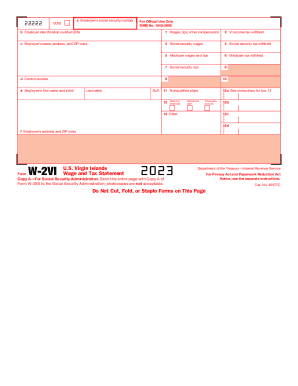
Get 2022 Form Irs W-2 Fill Online, Printable, Fillable, Blank ...
How it works
-

Open form follow the instructions
-

Easily sign the form with your finger
-

Send filled & signed form or save
How to use or fill out the 2022 Form IRS W-2 Fill Online, Printable, Fillable, Blank ... online
Filling out the 2022 Form IRS W-2 is essential for reporting wages and tax information. This guide will provide a step-by-step approach to assist users in completing the form accurately and efficiently, whether they are doing so online or using a print version.
Follow the steps to fill out the Form IRS W-2 correctly.
- Use the ‘Get Form’ button to acquire the form and open it in your preferred document viewer or editor.
- Begin by entering the employee's information. Fill out their Social Security number in box a and employer identification number (EIN) in box b. Both pieces of data are crucial for tax identification.
- In sections 1 through 7, report the employee's wages, tips, and any other compensation. Ensure that data for Social Security wages and taxes, as well as Medicare wages, are correctly documented.
- Provide the employer's name, address, and ZIP code in box c. This identifies the employer associated with the reported wages.
- Complete boxes 8 through 14, detailing additional compensation such as nonqualified plans or retirement plans. Use the appropriate codes for reporting any contributions or benefits.
- Double-check all entered information for accuracy. Ensure that names, numbers, and totals match the documentation and payroll records.
- Once all sections are completed, save changes to the form. Users may also choose to download, print, or share the completed form according to their needs.
Start filling out your 2022 Form IRS W-2 online today to ensure accurate tax reporting!
You can print Forms W-2 on plain 8-1/2" by 11" paper. When you print on plain paper, the employee's address is visible through a single-window, standard No. 10 business envelope (4-1/8" by 9-1/2", left-aligned window).