Loading
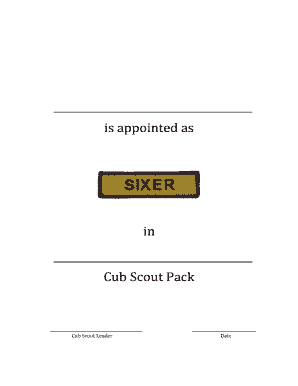
Get Cub Scouts Sixer Certificate Template
How it works
-

Open form follow the instructions
-

Easily sign the form with your finger
-

Send filled & signed form or save
How to fill out the Cub Scouts Sixer Certificate Template online
Filling out the Cub Scouts Sixer Certificate Template is an important step in recognizing the role of a Sixer within the Cub Scout Pack. This guide provides clear and concise instructions to help you complete the form efficiently and accurately.
Follow the steps to accurately complete your certificate
- Click ‘Get Form’ button to obtain the form and open it in the editor.
- In the first section, enter the name of the person being appointed as a Sixer. Ensure the spelling is correct and matches the individual’s official documents.
- Next, fill in the corresponding Cub Scout Pack's name. Double-check the pack's official designation for accuracy.
- In the section labeled ‘Cub Scout Leader,’ input the name of the individual who is providing the appointment. This should align with the leadership structure of your Cub Scouts.
- Indicate the date of appointment clearly in the designated date field. Use the format that is appropriate for your location to avoid any misunderstandings.
- Review all the entered information for accuracy. It is important for all details to be correct to ensure proper recognition of the appointed Sixer.
- Once satisfied with the information provided, you can choose to save changes, download, print, or share the completed form as needed.
Complete the Cub Scouts Sixer Certificate Template online today to recognize your Sixer’s contributions!
“Webelos” stands for “We'll Be Loyal Scouts.” As Webelos near the end of the Cub Scout trail, it's time for them to embrace that pledge and prepare for the next leg of the journey: Scouts BSA.