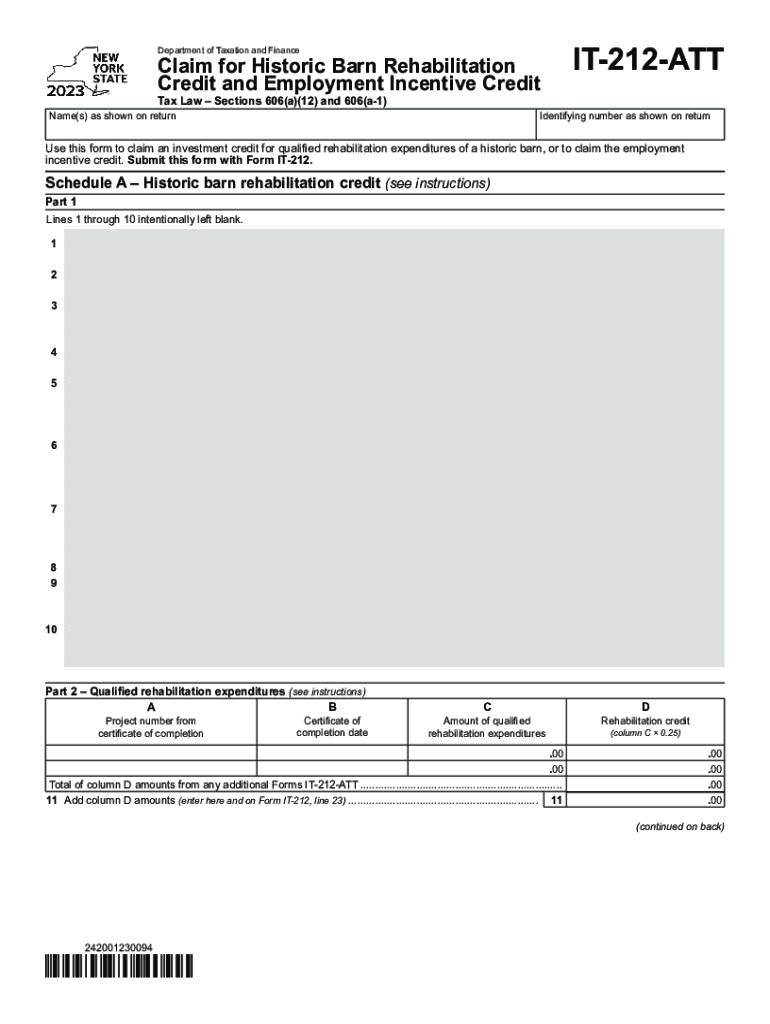
Department of Taxation and FinanceClaim for Historic Barn Rehabilitation Credit and Employment Incentive Credit Tax Law Sections 606(a)(12) and 606(a1)Name(s) as shown on returnIT212ATTIdentifying.

Open form follow the instructions

Easily sign the form with your finger

Send filled & signed form or save
How to fill out the NY IT-212-ATT online
The NY IT-212-ATT form is essential for users looking to claim the historic barn rehabilitation credit and the employment incentive credit under New York tax law. This guide will provide you with clear, step-by-step instructions on how to complete the form accurately and efficiently.
Follow the steps to successfully complete the NY IT-212-ATT online.
- Click the ‘Get Form’ button to access the form in your browser. This will allow you to start filling it out directly.
- Begin by entering your name(s) as shown on your tax return in the designated field. Ensure that it matches the information on Form IT-212.
- Next, fill in your identifying number as shown on your tax return. This might reference your Social Security Number or Employer Identification Number (EIN).
- Proceed to Schedule A, where you will address the historic barn rehabilitation credit. Follow the instructions provided for each part, specifically noting that lines 1 through 10 are intentionally left blank.
- In Part 2 of Schedule A, complete the fields for the project number from your certificate of completion, the date of the certificate, the amount of qualified rehabilitation expenditures, and calculate the rehabilitation credit (column C multiplied by 0.25).
- For Schedule B, begin with Part 1 to determine eligibility for the employment incentive credit. Fill in the total number of New York State employees for the specified periods, and calculate the average and percentage as instructed.
- Continue to Part 2 of Schedule B. Input the necessary tax year and original investment credit base, then calculate the employment incentive credit using the appropriate rate based on the percentages calculated in Part 1.
- After completing all sections, ensure all calculated amounts are correctly reflected. You can now save your changes, download a copy of the completed form, print it for your records, or share it as necessary.
Start filling out your NY IT-212-ATT online today to claim your credits!
Experience a faster way to fill out and sign forms on the web. Access the most extensive library of templates available.
Related content
Use this form to claim an investment credit for qualified rehabilitation expenditures of a...
IT-212-ATT. Employment of persons employed persons with disabilities. IT-251 ... From...
From outside New York City, call (212) 639-9675. How to get New York City ... IT-212-ATT...
Use professional pre-built templates to fill in and sign documents online faster. Get access to thousands of forms.
If you believe that this page should be taken down, please follow our DMCA take down process here.