Loading
Get Ca 55cp-4 2003-2026
How it works
-

Open form follow the instructions
-

Easily sign the form with your finger
-

Send filled & signed form or save
How to fill out the CA 55CP-4 online
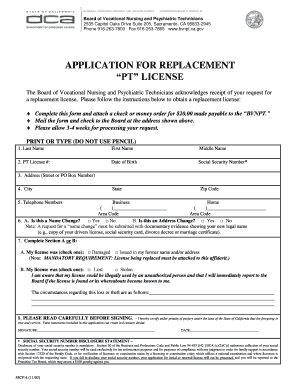
Filling out the CA 55CP-4 form for a replacement license can be a straightforward process if you understand each section of the form. This guide will walk you through the steps needed to complete the form online confidently.
Follow the steps to complete your CA 55CP-4 form online.
- Press the ‘Get Form’ button to retrieve the CA 55CP-4 form and open it in the online editor.
- Begin filling out the form by entering your last name, first name, and middle name in the designated fields.
- Input your PT license number, date of birth, and social security number in the corresponding fields.
- Provide your address, including street or PO box number, city, state, and zip code.
- Enter your business and home telephone numbers with the appropriate area codes.
- Indicate if this is a name change or address change by selecting 'Yes' or 'No.' Remember that a name change must be accompanied by documentation.
- Complete Section A or B based on your situation. If applicable, check for damaged or lost/stolen statuses and provide the circumstances surrounding the loss or theft.
- Carefully read the certification statement and affirm your understanding by signing the form and dating it.
- Once completed, save your changes, and review the form for accuracy. You can then download, print, or share your completed CA 55CP-4 form.
Complete your CA 55CP-4 form online today to ensure a swift replacement of your license.