Loading
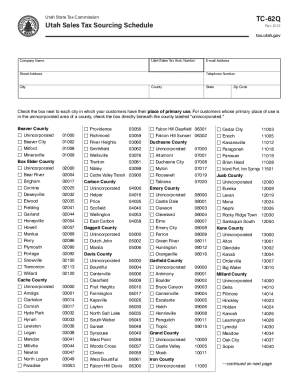
Get Revisions-forms.pdf - Utah State Tax Commission
How it works
-

Open form follow the instructions
-

Easily sign the form with your finger
-

Send filled & signed form or save
How to fill out the Revisions-forms.pdf - Utah State Tax Commission online
This guide provides step-by-step instructions for filling out the Revisions-forms.pdf from the Utah State Tax Commission online. Completing this form accurately is essential for ensuring compliance with state tax regulations.
Follow the steps to complete your form effectively.
- Click ‘Get Form’ button to access the form and open it for editing.
- Begin by entering your company name and Utah sales tax account number in the designated fields at the top of the form.
- Next, provide your street address, city, county, state, and zip code in the appropriate fields.
- Fill in your email address and telephone number to ensure the Tax Commission can contact you if necessary.
- Check the box next to each city where your customers primarily use their purchases. If any customer location is in an unincorporated area, be sure to select the corresponding option.
- Review all completed information to ensure accuracy and completeness before final submission.
- Once satisfied, save your changes, then download, print, or share the form as needed.
Complete your Revisions-forms.pdf online today to ensure timely submission!
These 2021 forms and more are available: Utah Form TC-40 – Personal Income Tax Return for Residents. Utah Form TC-40A – Income Tax Supplemental Schedule.