Loading
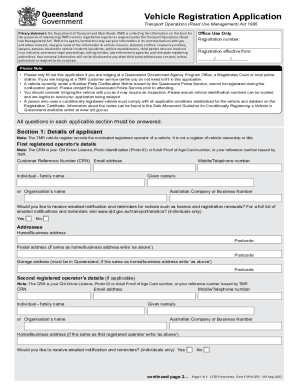
Get F3518cfd.pdf - Print Form Reset Form Vehicle Registration
How it works
-

Open form follow the instructions
-

Easily sign the form with your finger
-

Send filled & signed form or save
How to use or fill out the F3518CFD.pdf - Print Form Reset Form Vehicle Registration online
Filling out the F3518CFD.pdf form is a crucial step in the vehicle registration process. This guide provides clear and detailed instructions for each section of the form to ensure that users can complete it accurately and efficiently, whether they are familiar with vehicle registration or new to the process.
Follow the steps to successfully complete the vehicle registration application
- Click ‘Get Form’ button to obtain the form and open it in the editor.
- Complete Section 1: Details of applicant. Provide your customer reference number (CRN), email address, name, contact number, and address details. If applicable, include details of a second registered operator.
- In Section 2: Vehicle details, indicate whether you have proof of origin, provide the vehicle identification number (VIN), specify the vehicle’s year, make, and model, and indicate any modifications.
- For heavy vehicles (if applicable), fill out Section 3 regarding towing capacity and configurations.
- If registering a conditionally registered vehicle, complete Section 4, including the required inspections and certifications.
- In Section 5, choose your pay term options based on the vehicle type.
- Select the purpose of use for the vehicle in Section 6.
- Fill Section 7 if you are applying for a concession, ensuring to include any required evidence.
- In Section 8, provide the dutiable value of the vehicle and indicate if you are exempt from paying vehicle registration duty.
- Select your compulsory third party (CTP) insurer in Section 9.
- Complete Section 10 regarding Safety Certificates or Certificates of Inspection, and provide the necessary certificate number.
- If applicable, fill out Section 11 about gas fuel or other gas systems.
- After completing all sections, ensure all information is accurate, and sign the application. You can then save changes, download, print, or share the form as needed.
Complete your vehicle registration application online today!