Get Request For Informal Review
How it works
-

Open form follow the instructions
-

Easily sign the form with your finger
-

Send filled & signed form or save
How to fill out the Request For Informal Review online
This guide provides a clear and supportive overview for users on how to complete the Request For Informal Review online. Whether you have previous experience or are new to the process, this step-by-step guide will assist you in navigating the form efficiently.
Follow the steps to complete your Request For Informal Review.
- Press the ‘Get Form’ button to access the Request For Informal Review. This will open the form in the online editor, allowing you to begin filling it out.
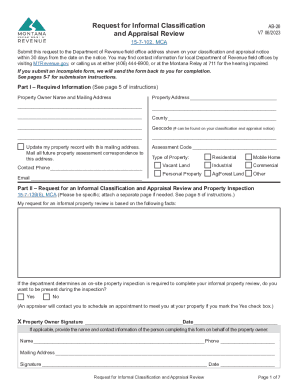
- In Part I, enter your required information. Provide your property owner's name, mailing address, and property address. Make sure to include the county and geocode number, which can be found on your classification and appraisal notice.
- Select the type of property you are reviewing by checking the appropriate box — options include residential, commercial, industrial, and more.
- In Part II, clearly state your reasons for requesting an informal classification and appraisal review. Be specific about any discrepancies in property characteristics, such as size or condition.
- If you wish to be present during the property inspection, check the 'Yes' box. Otherwise, mark 'No.'
- Sign and date the form in the designated area to confirm your request. If someone is submitting the form for you, they must also provide their contact information and sign.
- Complete Part III by entering the current assessed value as shown on your classification notice, along with your estimated property value if you believe it differs from the assessment.
- If you possess any supporting documentation, check the applicable boxes in Part III to indicate what you are including with your application.
- For additional information packets, complete Part V by checking the appropriate option for how you prefer to receive the information.
- If you are requesting additional data on sales or land model data, fill out the corresponding parts and include the necessary confidentiality agreements as required.
- Finally, review all entries for accuracy. Once confirmed, save your changes and proceed to download, print, or share the completed form.
Ready to submit your Request For Informal Review? Complete your documents online today for a smoother process.
A property's taxable value is the market value multiplied by the tax (or assessment) rate. For residential property, the tax rate is 1.35% and for commercial property, the tax rate is 1.89%. Annual Property Tax Changes - Montana Department of Revenue mtrevenue.gov https://mtrevenue.gov › resources › citizen › annual-pro... mtrevenue.gov https://mtrevenue.gov › resources › citizen › annual-pro...