Loading
Get Mn Dor Schedule M1c 2023-2026
How it works
-

Open form follow the instructions
-

Easily sign the form with your finger
-

Send filled & signed form or save
How to fill out the MN DoR Schedule M1C online
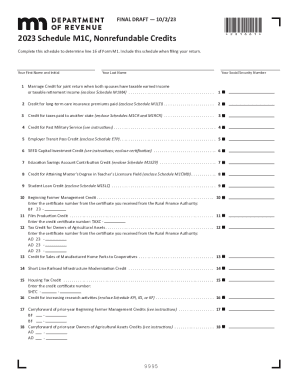
This guide provides comprehensive instructions for completing the Minnesota Department of Revenue Schedule M1C online. Schedule M1C is essential for individuals seeking to claim various nonrefundable tax credits, and understanding its components will facilitate the filing process.
Follow the steps to complete the Schedule M1C effectively.
- Press the ‘Get Form’ button to obtain the Schedule M1C and open it in the editor.
- Begin by entering your first name, middle initial, and last name in the designated fields. Be sure to provide your Social Security number accurately.
- Review the credits listed from 1 to 20. Refer to the corresponding schedules as needed to determine qualifications for each credit, such as Schedule M1MA for Marriage Credit, Schedule M1LTI for Long-Term Care Insurance, and others.
- Complete the required entries for each credit you qualify for. Ensure to enclose the necessary schedules along with the M1C when filing.
- Calculate the total of all claimed credits by adding the amounts reported on lines 1 through 20. This total must be entered on line 21.
- Make sure to include Schedule M1C with your Form M1 when submitting your return.
- After completing all entries, save your changes, and choose the options to download, print, or share the form as needed.
Complete your Schedule M1C online today to ensure a smooth tax filing experience.