Loading
Get Ct Drs-ewvr 2023-2026
How it works
-

Open form follow the instructions
-

Easily sign the form with your finger
-

Send filled & signed form or save
How to fill out the CT DRS-EWVR online
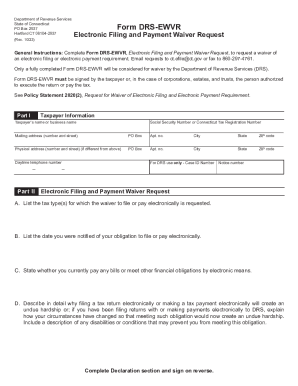
Filling out the CT DRS-EWVR, or Electronic Filing and Payment Waiver Request, is a crucial step for those who need an exemption from electronic filing or payment requirements. This guide will walk you through each section of the form to ensure you complete it accurately and effectively.
Follow the steps to successfully complete the CT DRS-EWVR form.
- Press the ‘Get Form’ button to access the form and open it in your preferred online editor.
- In Part I, provide your taxpayer information, including your name or business name, social security number or Connecticut tax registration number, and your mailing and physical addresses.
- In Part II, begin by entering any case ID number or notice number in the designated fields if applicable.
- Indicate the specific tax type(s) for which you are requesting the waiver to file or pay electronically.
- State the date you were notified of your obligation to file or pay electronically.
- Answer whether you currently pay any bills or fulfill other financial obligations through electronic means.
- Detail the reasons why filing or paying electronically would create an undue hardship for you. If relevant, explain how your circumstances have changed and include any disabilities or conditions that may hinder electronic compliance.
- Complete the Declaration section by signing, printing your name, dating the form, and indicating your title if applicable.
- Once the form is fully completed, you can save your changes, download a copy, print it, or share it as required.
Complete your DRS-EWVR form online to ensure prompt processing of your waiver request.