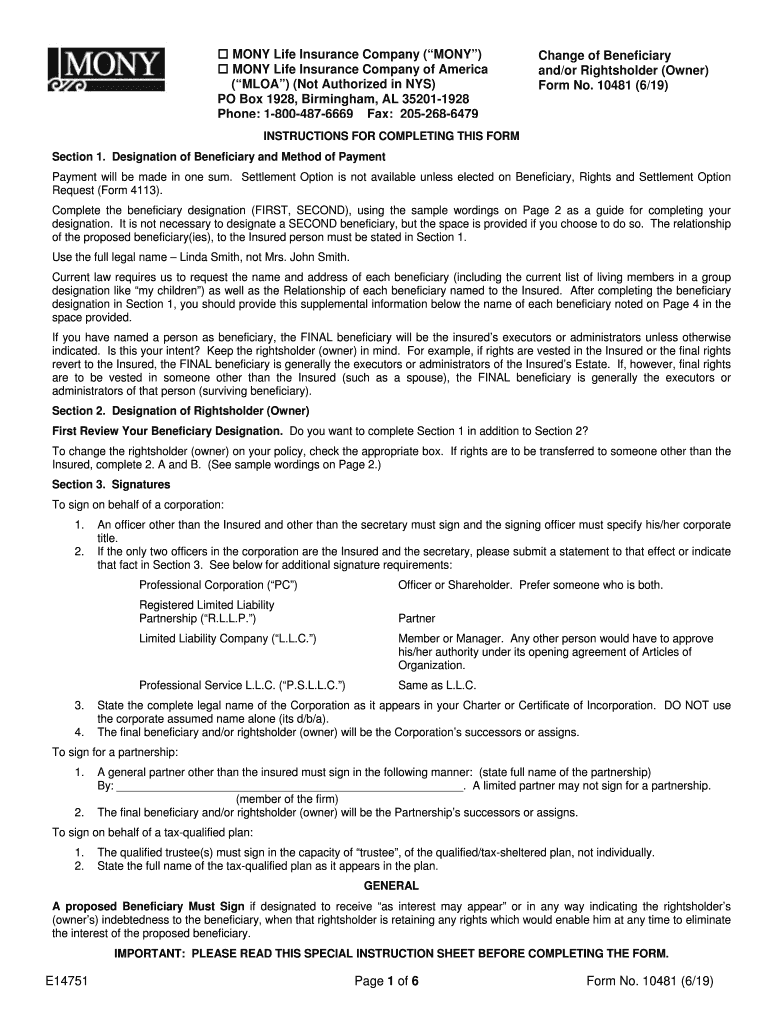
Of Beneficiary and/or Rightsholder (Owner) Form No. 10481 (6/19) INSTRUCTIONS FOR COMPLETING THIS FORM Section 1. Designation of Beneficiary and Method of Payment Payment will be made in one sum. Settlement Option is not available unless elected on Beneficiary, Rights and Settlement Option Request (Form 4113). Complete the beneficiary designation (FIRST, SECOND), using the sample wordings on Page 2 as a guide for completing your designation. It is not necessary to designate a SECOND beneficiary.
Loading

Open form follow the instructions

Easily sign the form with your finger

Send filled & signed form or save
How to fill out the MONY10481 Change of Beneficiary and/or Rightsholder (Owner) online
Filling out the MONY10481 Change of Beneficiary and/or Rightsholder (Owner) form is an important step for policyholders who wish to update their beneficiaries or change the ownership of their insurance policy. This guide will provide clear, step-by-step instructions to help you complete this form accurately and efficiently online.
Follow the steps to successfully complete the form.
- Click the ‘Get Form’ button to access the document and open it in your preferred online editor.
- In Section 1, provide the full legal names of the primary and, if desired, contingent beneficiaries. Clearly specify the relationship of each beneficiary to the insured person. Make sure to follow the provided sample wordings for accuracy.
- If applicable, in Section 2, indicate the designation of rightsholders. Check the appropriate box to confirm whether the rights will be transferred to someone other than the insured. Provide all necessary details in subsections 2.A and 2.B, if required.
- In Section 3, ensure you sign the document. If you are signing on behalf of a corporation, partnership, or tax-qualified plan, refer to the prescribed signing instructions to ensure compliance.
- Before final submission, double-check that all required information, including names, relationships, and signatures, is accurately filled out. Consider having a witness if required, especially in certain states such as Massachusetts.
- Save your changes, and then download, print, or share the completed form as needed for your records or to submit it to the MONY Life Insurance Company.
Complete your documents online today to ensure your beneficiaries and rights are updated.
Experience a faster way to fill out and sign forms on the web. Access the most extensive library of templates available.
Related content
... MONY10481ChangeofBeneficiaryandorRightsholder(Owner).rtf: fill, sign, print and send...
... MONY10481ChangeofBeneficiaryandorRightsholder(Owner).rtf: fill, sign, print and send...
... MONY10481ChangeofBeneficiaryandorRightsholder(Owner).rtf: fill, sign, print and send...
Use professional pre-built templates to fill in and sign documents online faster. Get access to thousands of forms.
If you believe that this page should be taken down, please follow our DMCA take down process here.