Loading
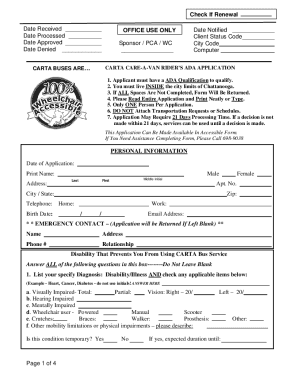
Get 2016 Major Declaration Form
How it works
-

Open form follow the instructions
-

Easily sign the form with your finger
-

Send filled & signed form or save
How to fill out the 2016 Major Declaration Form online
Filling out the 2016 Major Declaration Form online can be a straightforward process when guided step by step. This guide will provide you with clear instructions to help ensure your form is completed accurately and efficiently.
Follow the steps to successfully complete the form online.
- Click the ‘Get Form’ button to obtain the form and open it in the editor.
- Enter the date of application in the designated field, ensuring it is accurate.
- Provide your personal information including your full name, address, and telephone numbers. Fill these fields clearly.
- Indicate your gender by selecting the appropriate option for male or female.
- Input your birth date in the specified format, making sure it is correctly noted.
- Complete the emergency contact section. This field cannot be left blank; include the contact's name, address, phone number, and relationship to you.
- In the disability section, provide detailed information about your diagnosis, listing any disabilities or illnesses and selecting applicable items.
- Answer all questions related to mobility aids, if applicable, and provide clear details if you have specific needs.
- Respond to the questions asking about your ability to walk distances and climb steps, selecting the option that applies to you.
- Explain how your disabilities prevent you from using traditional CARTA bus services; include additional documentation if necessary.
- Input information about who will be responsible for payment, including agency details if applicable.
- Acknowledge that you have read the CARTA Care-A-Van client policies by signing and dating the section provided.
- Complete the medical authorization release, ensuring all required information is filled out.
- If someone else completed the application, ensure they provide their information and signature.
- Review the form for any missing fields before finalizing your submission. You can save changes, download, print, or share the form if needed.
Complete your 2016 Major Declaration Form online today to ensure a smooth process.
To declare you minor or major: Sign in to Aurora. Select Enrolment & Academic Records. Select Declarations. Select Declare Major, Minor or Concentration. Select the current term. From here you will be able to declare your major.