Loading
Get Canada Cep Clinically Organized Relevant Exam (core) Back Tool 2016-2026
How it works
-

Open form follow the instructions
-

Easily sign the form with your finger
-

Send filled & signed form or save
How to use or fill out the Canada CEP Clinically Organized Relevant Exam (CORE) Back Tool online
Filling out the Canada CEP CORE Back Tool online is a key step for healthcare providers in assessing and managing patients with back pain. This guide will walk you through the process, ensuring that you can accurately capture the necessary information to provide optimal care.
Follow the steps to complete the CORE Back Tool effectively.
- Press the ‘Get Form’ button to acquire the form and open it in your editing software.
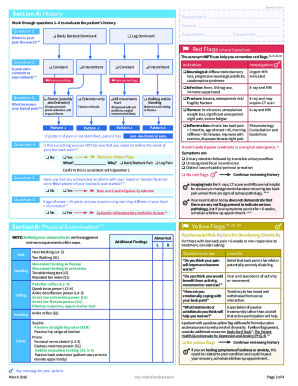
- Begin with Section A, History. Here, you will gather the patient's name, date of birth, and date of visit. Evaluate the patient’s history by answering questions about pain location, consistency, and any associated symptoms. Be attentive to any red or yellow flags noted.
- Move to Section B, Physical Examination. Document findings from the physical examination with particular attention to gait, neurological responses, and pain patterns. Use the mnemonic NIFTI to remember potential red flags.
- In Section C, Initial Management, you will set goals for the patient regarding pain reduction and activity increase. Suggest management techniques and possible medications based on the specific pain patterns identified.
- Proceed to Section D, Referrals, if necessary. Determine if the patient requires referral to rehabilitation, specialists, or for imaging. Document any required referrals based on previous sections.
- Upon completing the form, review your entries for accuracy. Finally, save the changes, and choose to download, print, or share the form as needed.
Complete the CORE Back Tool online to enhance your patient management!
Related links form
"Red Flags (RFs) are signs and symptoms related to the screening of serious underlying pathologies mimicking a musculoskeletal pain."