Loading
Get Canada Sc Emp5391-a 2022-2026
How it works
-

Open form follow the instructions
-

Easily sign the form with your finger
-

Send filled & signed form or save
How to fill out the Canada SC EMP5391-A online
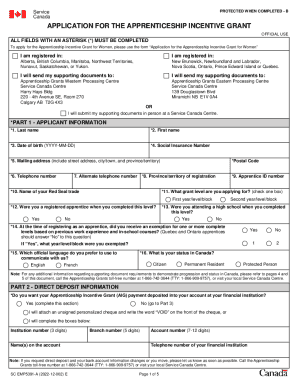
This guide provides clear and detailed instructions on how to complete the Canada SC EMP5391-A form online. Follow the steps outlined below to ensure your application for the Apprenticeship Incentive Grant is submitted correctly.
Follow the steps to fill out the Canada SC EMP5391-A online.
- Press the ‘Get Form’ button to acquire the form and open it in the available editor.
- Begin with Part 1 - Applicant Information. Fill in your last name and first name in the designated fields. Ensure accurate entry for Date of Birth formatted as YYYY-MM-DD.
- Move to Part 2 - Direct Deposit Information. Confirm if you want the payment deposited directly into your financial account and complete the necessary bank details if applicable.
- Finally, review all sections again for accuracy. Once satisfied, save your changes, download the completed form, and print it if necessary. You can then share or submit it as required.
Start completing your Canada SC EMP5391-A form online today!
Related links form
Under the program, apprentices may apply for a taxable cash grant of $1,000 for the first two periods of their apprenticeship. To be eligible, apprentices must: Hold a regular apprentice competency certificate (ACC) in a “Red Seal” trade (the trade of elevator mechanic is excluded)