Loading
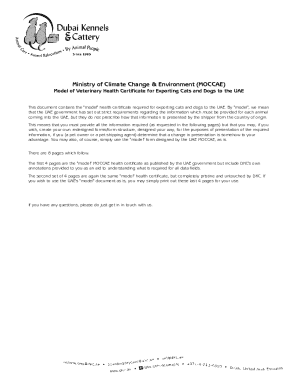
Get Ae Dubai Kennels & Cattery Model Of Veterinary Health Certificate For Exporting Cats And Dogs To 2019-2025
How it works
-

Open form follow the instructions
-

Easily sign the form with your finger
-

Send filled & signed form or save
How to fill out the AE Dubai Kennels & Cattery Model Of Veterinary Health Certificate For Exporting Cats And Dogs To online
Filling out the AE Dubai Kennels & Cattery Model Of Veterinary Health Certificate is a crucial step for pet owners seeking to export their cats and dogs to the United Arab Emirates. This guide provides a comprehensive, step-by-step breakdown of each section to ensure you provide all necessary information smoothly and efficiently.
Follow the steps to effectively complete the health certificate form.
- Click the ‘Get Form’ button to obtain the document and open it for filling.
- Fill in the exporting country in the designated field to indicate where your animal is being exported from.
- Enter the name of the exporter, which is generally the pet owner's name, in the appropriate section.
- Provide the health certificate number assigned by the official veterinarian in your country of origin.
- Complete the shipper's address as accurately as possible for proper documentation.
- Specify the veterinary authority, which is the government or ministry authority in your country responsible for animal health.
- Input the importer name, which is your name and the importer address as it appears on the air waybill.
- Indicate the country of origin, along with its ISO code, which can be found online.
- Select the importing country - for this form, ensure it states ‘United Arab Emirates’.
- Fill in the region and facility, specifying 'Dubai' for the region and 'Dubai Kennels & Cattery (DKC)' for the facility.
- Provide your final destination address in the UAE, where the pet will be delivered.
- List the place of origin, including the city of departure and your address in that city.
- Mention the port of departure, which is the name of the airport from which your shipment will be sent.
- Indicate the date of departure for your pet.
- Choose the transport means, whether by air, sea, or land.
- Document the border post, specifying the departure airport and the transit airport if applicable.
- Select the import type, indicating whether it is for trade or personal use.
- Enter the name of the animal as well as their microchip number.
- Specify the dates of birth or age of the animal and their individual breed.
- Identify the species of the animal – dog or cat.
- Provide a thorough description of the animal, including color, hair type, and any identifiable marks.
- Have the Government Veterinarian In-Charge certify that the information provided conforms to health regulations, including all necessary vaccinations and certificates.
- Complete any required information regarding the animal's health and vaccinations based on the specific details outlined in the form.
- Ensure all signatures, stamps, and official details from the veterinarian are included before submission.
- At the final step, save your changes, then download, print, or share the completed document as required.
Begin the process of completing your document online to ensure a smooth export for your pet.
Related links form
Taking Pets to UAE Your pet must be microchipped. You should have a valid vaccination certificate for your pet with rabies and DHPPiL/PCH Vaccination administered between 21 days prior to arrival in the United Arab Emirates.
Industry-leading security and compliance
US Legal Forms protects your data by complying with industry-specific security standards.
-
In businnes since 199725+ years providing professional legal documents.
-
Accredited businessGuarantees that a business meets BBB accreditation standards in the US and Canada.
-
Secured by BraintreeValidated Level 1 PCI DSS compliant payment gateway that accepts most major credit and debit card brands from across the globe.