Loading
Get Pa Peco M-24175 2022-2026
How it works
-

Open form follow the instructions
-

Easily sign the form with your finger
-

Send filled & signed form or save
How to fill out the PA PECO M-24175 online
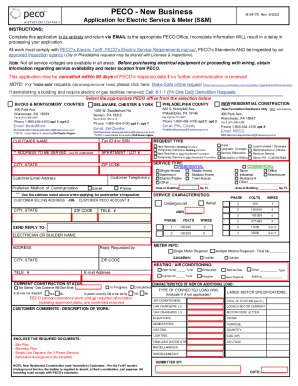
Filling out the PA PECO M-24175 is a crucial step for those seeking electric service. This guide will walk you through the process, ensuring you provide all necessary information accurately and efficiently.
Follow the steps to complete your PA PECO M-24175 application.
- Click ‘Get Form’ button to access the document and open it for editing.
- Fill out the customer name and billing address clearly in the designated fields.
- Specify the service type by selecting either residential or commercial options, and indicate the appropriate customer PECO account number.
- Provide detailed service characteristics, including area of building in square feet and specific voltage and amp requirements.
- Indicate the preferred method of communication by selecting email or phone.
- Complete sections regarding the electrician or builder's contact information and the anticipated construction status.
- Outline the request type by selecting from the options available, such as new services or temporary services.
- Attach any required documents as specified, including site plans and elevation plans.
- Once all information is filled out, review for completeness, then save changes and prepare to submit your application via email to the relevant PECO office.
Complete your PA PECO M-24175 application online today for efficient processing.
PECO Energy vs competitors CompanyFounding DateRevenueOGE Energy1902$3.4BFlorida Power & Light1925$21.0BMadison Gas and Electric1855$714.5MOncor Electric Delivery2001$4.3B17 more rows