Loading
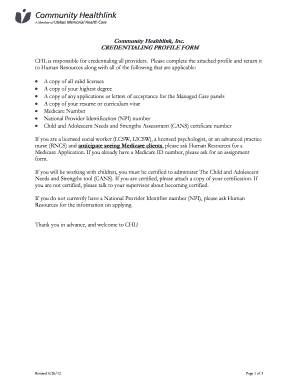
Get Ma Community Healthlink Credentialing Profile Form 2012-2026
How it works
-

Open form follow the instructions
-

Easily sign the form with your finger
-

Send filled & signed form or save
How to fill out the MA Community Healthlink Credentialing Profile Form online
Completing the MA Community Healthlink Credentialing Profile Form online is an essential step in the credentialing process for healthcare providers. This guide will walk you through each section of the form, ensuring you provide all necessary information accurately and efficiently.
Follow the steps to fill out the Credentialing Profile Form successfully.
- Click the ‘Get Form’ button to retrieve the MA Community Healthlink Credentialing Profile Form and open it for editing.
- Begin by filling out Section I: Personal Information. Enter your name (last, first, middle), home address, home telephone number, driver's license number, social security number, expiration date, birth date, place of birth, citizenship status, and any relevant program or job title information.
- Proceed to Section II: Education Information. List all relevant educational experiences by entering the school name, mailing address, degree awarded, dates attended, and graduation date. Make sure to attach a copy of your highest degree.
- In Section III: Licensure, list all current professional licenses you hold. Include the state, license type, license number, date issued, and expiration date. Provide the total years of full-time experience since obtaining your highest degree and supervisory experience details.
- Move on to Section IV: Registrations and Certifications. Indicate any certifications, such as the CANS certification, including type, registration number, date issued, expiration date, and other relevant identifiers like your Federal DEA number and Medicare number.
- Next, fill out Section V: Professional Training Attendance. Enter the details for CPR Certification, First Aid, and any other relevant training, including expiration dates.
- After completing all sections, navigate to Section VIII: Verification. Sign the form electronically by typing your name, confirming that the information is accurate, and consenting for Community Healthlink to verify your records.
- Finally, save the completed form. You may opt to download, print, or share your profile as needed.
Complete your MA Community Healthlink Credentialing Profile Form online to ensure a smooth credentialing process.