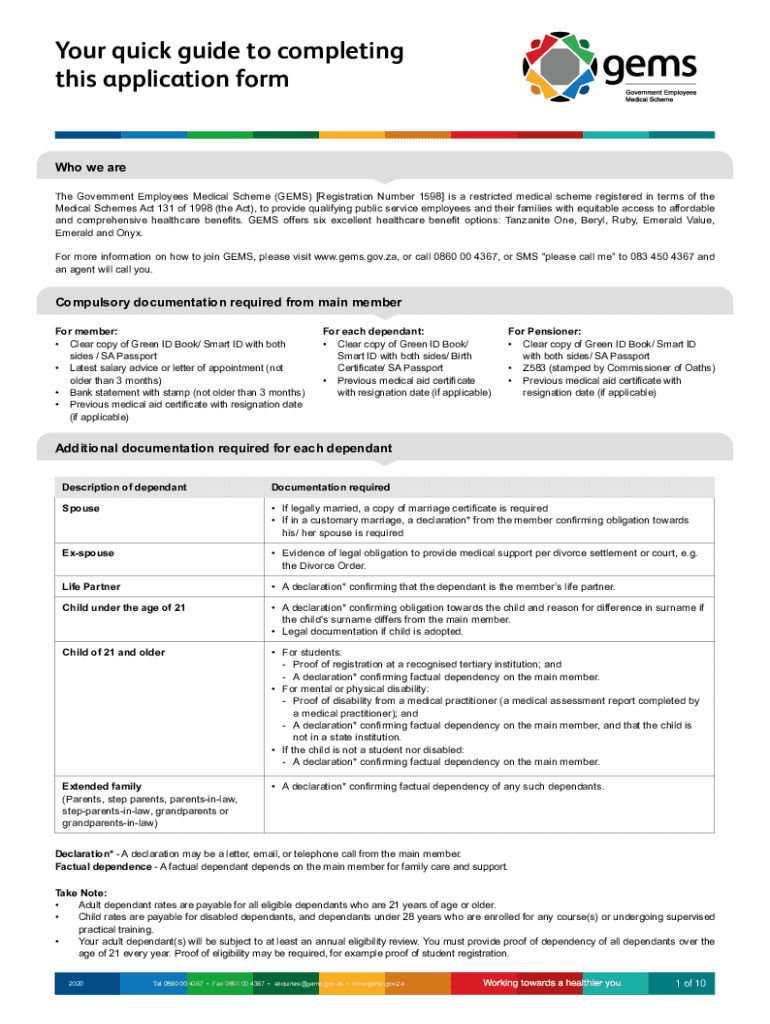
Dical Schemes Act 131 of 1998 (the Act), to provide qualifying public service employees and their families with equitable access to affordable and comprehensive healthcare benefits. GEMS offers six excellent healthcare benefit options: Tanzanite One, Beryl, Ruby, Emerald Value, Emerald and Onyx. For more information on how to join GEMS, please visit www.gems.gov.za, or call 0860 00 4367, or SMS please call me to 083 450 4367 and an agent will call you. Compulsory documentation required fr.
Loading

Open form follow the instructions

Easily sign the form with your finger

Send filled & signed form or save
How to fill out the ZA GEMS Membership Application Form online
Completing the ZA GEMS Membership Application Form online is an essential step for individuals seeking to access affordable and comprehensive healthcare benefits. This guide offers clear and supportive instructions to ensure users can navigate the form with confidence.
Follow the steps to complete the application form online.
- Press the ‘Get Form’ button to access the application form and open it in your preferred editor.
- In Section 1, provide your main employment details, including your current employer’s name and employment start date, ensuring all fields are completed accurately.
- In Section 2, fill out your personal details, including your name, ID or passport number, contact information, and marital status, making sure to double-check for accuracy.
- Section 3 requires you to select your preferred method of communication and language, so indicate both as per your preference.
- In Section 4, add details for any dependants you wish to register. Include full names, IDs, and indicate their relationship to you.
- Section 6 involves disclosing your medical history. Answer honestly, marking 'Yes' or 'No' for each condition listed.
- For Section 7, choose your preferred benefit option by marking the appropriate block, and if necessary, provide your selected Network doctor.
- In Section 8, specify your payment method for contributions, ensuring to read and understand the conditions associated with your choice.
- Complete Section 9 by providing your bank account details, which are mandatory for processing your application.
- Finally, in Section 10, read the terms and conditions carefully, sign, and date the form to confirm your understanding and acceptance.
Complete your application form online today to gain access to GEMS healthcare benefits!
Experience a faster way to fill out and sign forms on the web. Access the most extensive library of templates available.
Related content
This prospectus is part of a registration statement on Form F-1 filed with the SEC by Grab...
As the GEM results clearly show, entrepreneurship comes in many shapes and forms. For...
Apr 24, 2019 — ("NuNaturals", USA), is submitting for FDA review Form 3667 and the...
Get answers to your most pressing questions about US Legal Forms API.
Does Gems pay for wheelchair?
If the cost of crutches or a wheelchair on the claim is above the capped fee, GEMS will only pay up to the maximum limit (subject to available benefits and limits) and the shortfall will need to be paid by the member from their own pocket.
Does Gems pay for blood pressure monitor?
Medical appliances that require pre-authorisation The reason for this is that GEMS wishes to assist members in avoiding unforeseen co-payments, specifically where benefit sub-limits apply. The following categories of appliances require pre-authorisation from GEMS: Blood pressure monitors.
Does Gems pay for a CPAP machine?
prosthetics, subject to formulary and managed care protocols and processes. and/or device(s) being related to the admission diagnosis and procedure. o One (1) CPAP device of up to R10 955 per Beneficiary every thirty six (36) months of month of receipt of device.
Use professional pre-built templates to fill in and sign documents online faster. Get access to thousands of forms.
If you believe that this page should be taken down, please follow our DMCA take down process here.