Loading
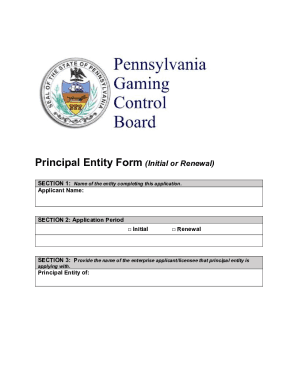
Get Principal Entity Form (initial Or Renewal)
How it works
-

Open form follow the instructions
-

Easily sign the form with your finger
-

Send filled & signed form or save
How to fill out the Principal Entity Form (Initial Or Renewal) online
The Principal Entity Form (Initial Or Renewal) is crucial for entities seeking to be licensed as principals in the gaming industry. This guide provides step-by-step instructions to assist you in completing the form accurately and efficiently online.
Follow the steps to fill out the Principal Entity Form online.
- Click the ‘Get Form’ button to obtain the form and open it in your editor.
- In Section 1, enter the name of the entity completing the application. This should match your official registration.
- In Section 2, select either 'Initial' or 'Renewal' to identify the application period.
- Fill out Section 3 by providing the name of the enterprise you are applying with as the principal entity.
- In the Applicant Information section, input the business name, address, email, and contact information. Ensure all details are accurate.
- Under Applicant’s Form of Organization, check the applicable box to indicate your business structure.
- Provide the required identification numbers, such as the Federal Employer Identification Number and relevant state numbers.
- Complete the criminal history section, ensuring to include any required disclosures.
- Finish filling out all sections, ensuring you answer every question completely. If any do not apply to you, indicate this clearly.
- Once all sections are complete, save your changes. You may then download, print, or share the form as necessary.
Complete your Principal Entity Form online today to ensure a smooth application process.