1 2 3 Lowell Finley, SON 104414 LAW OFFICES OF LOWELL FINLEY 1604 SOLANO AVENUE BERKELEY, CALIFORNIA 94707-2109 TEL: 510-290-8823 FAX: 510-526-5424 4 Attorneys for Plaintiffs and Petitioners 5 SUPERIOR.
Loading

Open form follow the instructions

Easily sign the form with your finger

Send filled & signed form or save
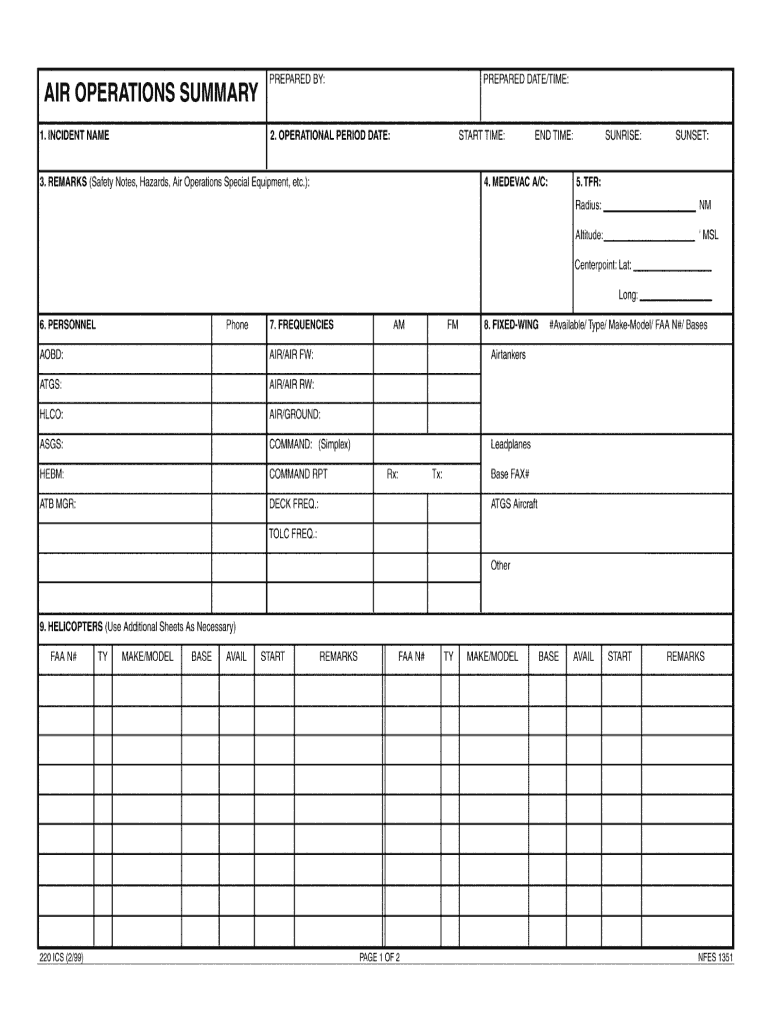
How to fill out the DHS FEMA ICS 220 online
The DHS FEMA ICS 220 form is essential for incident command and response coordination. This guide provides you with a clear and detailed approach to filling out the form online, ensuring you can effectively complete it with confidence.
Follow the steps to fill out the form accurately.
- Click ‘Get Form’ button to obtain the form and open it in the editor.
- Review the top section of the form, which typically includes fields for the name of the incident or event. Ensure that this information reflects the current situation accurately.
- In the next section, provide details about the incident objectives. Clearly outline the goals that need to be achieved during the event.
- Complete the section for operational plans. This includes specifying the tactics and resources you intend to use. Make sure to address each component thoroughly.
- Fill out the information for the major concerns and constraints that may impact your incident management. This is critical for effective planning.
- Once all sections are completed, review the form for any errors or omissions. Accuracy is crucial for effective communication and coordination.
- After confirming that all required fields are filled correctly, you can save changes, download, print, or share the form as needed.
Begin filling out your documents online today for efficient management.
Experience a faster way to fill out and sign forms on the web. Access the most extensive library of templates available.
Use professional pre-built templates to fill in and sign documents online faster. Get access to thousands of forms.
If you believe that this page should be taken down, please follow our DMCA take down process here.
This form is available in several versions. Select the version you need from the drop-down list below.