Loading
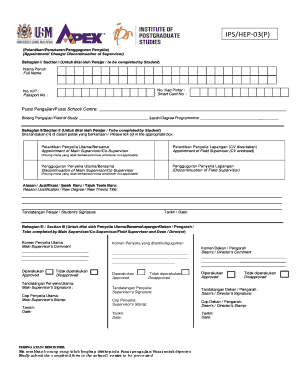
Get My Usm Ips/hep‐03(p) 2019-2026
How it works
-

Open form follow the instructions
-

Easily sign the form with your finger
-

Send filled & signed form or save
How to fill out the MY USM IPS/HEP‐03(P) online
The MY USM IPS/HEP‐03(P) form is an essential document for students wishing to request changes regarding their supervisors. This guide provides clear, step-by-step instructions for accurately completing the form online, ensuring you meet all requirements and understand each section clearly.
Follow the steps to complete the form efficiently.
- Press the ‘Get Form’ button to retrieve the MY USM IPS/HEP‐03(P) form and open it in the editing interface.
- Begin with Section I by entering your full name, Smart Card number, and Passport number in the designated fields.
- In the same section, provide information about your study centre and field of study, as well as the degree programme you are enrolled in.
- Move to Section II, where you will indicate your request. Select the appropriate option by ticking the box for the appointment of a main supervisor or co-supervisor, or for the discontinuation of a supervisor.
- In the justification field, provide reasons for the appointment or discontinuation, along with any new degree or thesis title information where applicable.
- Sign and date the form at the designated area in Section II.
- Proceed to Section III. This section is to be completed by your main supervisor or co-supervisor. They should add their comments and indicate approval or disapproval.
- The supervisor will then sign, stamp, and date the form as required.
- Once all signatures and stamps are obtained, ensure that Section III has the Dean's or Director's comments and approvals as necessary.
- After completing all sections, save your changes. Options for further action include downloading, printing, or sharing the completed form.
Complete your MY USM IPS/HEP‐03(P) form online to streamline your supervisor appointment process.