Loading
Get Au Djag 002 2018-2026
How it works
-

Open form follow the instructions
-

Easily sign the form with your finger
-

Send filled & signed form or save
How to fill out the AU DJAG 002 online
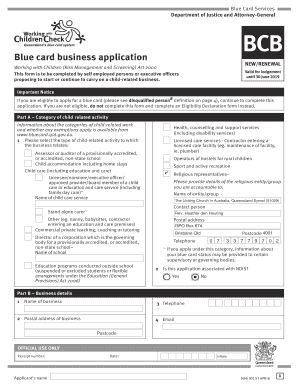
The AU DJAG 002 form, known as the blue card business application, is essential for self-employed persons or executive officers looking to start or continue a child-related business. This guide provides clear, step-by-step instructions to help you navigate the process effectively.
Follow the steps to complete the AU DJAG 002 form online.
- Press the ‘Get Form’ button to obtain the AU DJAG 002 form and open it in the provided editor.
- Begin with Part A, which asks for the category of child-related activity. Select the type that corresponds to your business, and provide details where required.
- Proceed to Part B, where you will input your business details, including the name, postal address, telephone number, and email address.
- Complete Part C by entering your personal details. Fill in your full legal name, previous names if applicable, gender, date of birth, place of birth, current postal and residential addresses, and telephone numbers.
- In Part D, proof of identity must be established. Have two current, original identification documents ready. Ensure that one shows a signature and that both match the details you provided in Part C.
- Part E requires a declaration by a prescribed person who verifies your identification documents. Ensure they sign the form where indicated.
- In Part F, select your payment method and fill in the necessary details to process your application fee if applicable.
- Finally, review all provided information for accuracy, make any necessary corrections, and save your changes. You have the option to download, print, or share the completed form.
Complete your application online to ensure a smooth process for obtaining your blue card.