Loading
Get Au Djag 002 2023-2026
How it works
-

Open form follow the instructions
-

Easily sign the form with your finger
-

Send filled & signed form or save
How to fill out the AU DJAG 002 online
The AU DJAG 002 form is essential for individuals engaged in child-related businesses in Queensland. This guide provides a clear, step-by-step approach to completing the form online, assisting you in submitting your application accurately and efficiently.
Follow the steps to complete the AU DJAG 002 form online.
- Click the ‘Get Form’ button to obtain the AU DJAG 002 form and access it in the online editor.
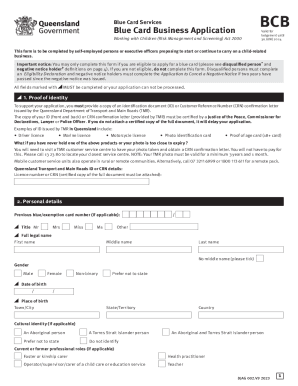
- Begin with the proof of identity section. Upload or attach a certified copy of your identification document or Customer Reference Number confirmation letter issued by the Queensland Department of Transport and Main Roads. Ensure that the document is certified by a qualified authority, or it may delay your application.
- Fill out the personal details section. Provide your full legal name, date of birth, place of birth, and select your gender identity. If applicable, include any previous names. Be honest and thorough when providing this information.
- Provide your contact details. Include your current postal address, residential address if different, and both daytime and mobile telephone numbers. Ensure that your email address is accurately entered for communication regarding your application.
- If you are a self-employed person or a paid executive officer, move to the payment options section. Choose your payment method and ensure that all necessary details, such as receipt number and payment date, are documented correctly.
- Complete the blue card activity details section. Specify the business name, postal address, and telephone number, along with the type of child-related activity your business engages in. Ensure accurate category selection related to your business.
- Finally, review the declaration section. Confirm that you have read the important information, are not disqualified from applying, and provide your signature along with the date. This confirms the truthfulness of the information provided.
- Once all fields are completed, save your changes. You can then download, print, or share the completed form as needed.
Make sure to complete your documents online today for a smooth application process.