Loading
Get Ia Waukee Community School District Prostart I Pretest 2015-2026
How it works
-

Open form follow the instructions
-

Easily sign the form with your finger
-

Send filled & signed form or save
How to fill out the IA Waukee Community School District ProStart I Pretest online
This guide will assist you in filling out the IA Waukee Community School District ProStart I Pretest online efficiently. Follow the steps outlined to ensure you provide all necessary information accurately.
Follow the steps to complete the Pretest effectively.
- Click the ‘Get Form’ button to access the form and open it for editing.
- Begin by entering your name in the designated field at the top of the form.
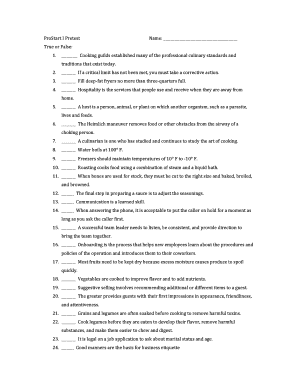
- Proceed to the True or False section. For each statement provided, indicate your response by checking either 'True' or 'False' in the blank space next to each statement. Be sure to read each statement carefully before making your choice.
- After completing the True or False section, move on to the Multiple Choice questions. For each question, select the most appropriate answer by marking the corresponding letter next to the option you choose.
- Once you have answered all questions, review your selections to ensure accuracy and completeness.
- When you are satisfied with your responses, you can save the changes you made to the form. You may also have options to download, print, or share the completed form based on the tool's functionalities.
Complete your ProStart I Pretest online today and submit it promptly.
Related links form
School Time: 8:50 a.m. – 3:40 p.m.