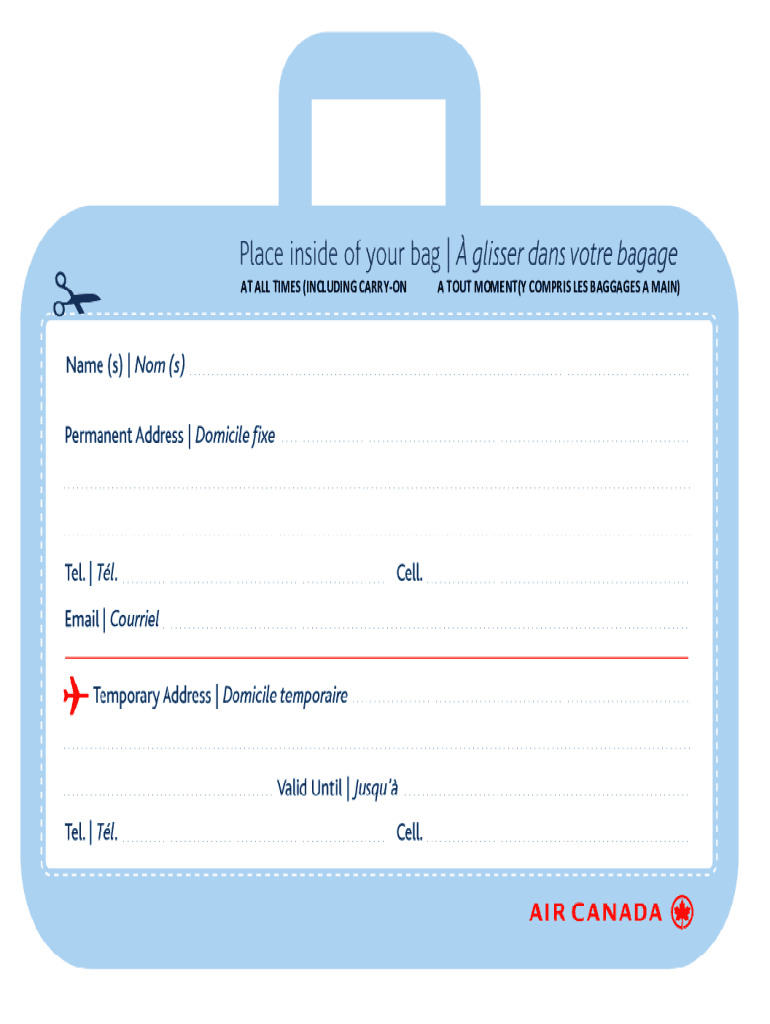
AT ALL TIMES (INCLUDING CARRY-ON A TOUT MOMENT(Y COMPRIS LES BAGGAGES A MAIN).
Loading

Open form follow the instructions

Easily sign the form with your finger

Send filled & signed form or save
How to fill out the Canada Air Canada Baggage ID Card online
Completing the Canada Air Canada Baggage ID Card online is a straightforward process designed to ensure that your baggage can be easily identified and returned in case of any issues. This guide will take you through the necessary steps to fill out the form accurately and effectively.
Follow the steps to successfully complete the Canada Air Canada Baggage ID Card online.
- Click the ‘Get Form’ button to access the form and open it in your preferred editing tool.
- Begin by filling out your personal information, including your name, contact number, and email address. Ensure that you provide accurate details for effective communication regarding your baggage.
- Next, provide your flight information, including the flight number, date of travel, and destination. This information is crucial for tracking the baggage associated with your trip.
- In the following section, describe your baggage. Include details such as the color, size, and any distinctive features. This will help personnel identify your baggage quickly.
- Check the box indicating whether you have any special requirements for your baggage. This may include fragile items or special handling needs.
- Once you have completed all the fields, take a moment to review your entries for accuracy. Correct any errors or omissions to avoid potential issues.
- Finally, save your changes, and choose to download, print, or share the completed form as needed. Make sure to keep a copy for your records.
Complete your documents online to ensure a smooth travel experience.
Experience a faster way to fill out and sign forms on the web. Access the most extensive library of templates available.
Related content
Jun 30, 2021 — ... Air Canada will provide customers an option for a refund to the...
I arrived in Montreal a few days ago and now I am preparing myself to start my journey at...
01-Dec-2020 — On 1 September 2020, approval was granted to the application of Korean Air...
Get answers to your most pressing questions about US Legal Forms API.
How do you print on paper luggage tags?
Printing Tags After you design a luggage tag you like, printing it is like printing any other document. Click "File," "Print" and "Print preview" in Word to see how your label looks. Word automatically prints one tag per page unless your specific printer has advanced settings to tile print jobs.
What are the 3 types of tagged baggage?
Baggage Tags – Thermal, Manual & RFID Manufactured to IATA resolution 740 and Recommended Practice 1740.
What is the code on baggage tag?
Baggage tag issuer codes, combined with the tag serial number, are used to identify each piece of checked luggage through all baggage handling processes. They help provide a unique identifier during the complete journey. This unique identifier forms the basis of what is known as the “License Plate”.
Can you print out luggage tags at home?
Easily print the home printed baggage tag from the comfort of your own home. All you have to do is choose this option during online check-in, and you will be able to save even more valuable time when checking in your baggage1 at the airport.
Where is luggage ID number?
Your bag tag number is on your baggage claim ticket and is either 10 digits (all numbers) or 8 characters (letters and numbers).
What is the meaning of baggage ID?
Baggage Identification Tag means a document issued by the carrier solely for identification of checked baggage, part of which is given to the passenger as a receipt for the passenger's checked baggage and the remaining part is attached by the carrier onto a particular piece of the passenger's checked baggage.
How does Bagtag work?
The 3- by 5-inch device, made by the Dutch company BAGTAG, is powered by Near-Field Communication (NFC) from a smartphone, just long enough for a Bluetooth Low Energy connection to update the E-Ink display (the same technology used in Kindles and other e-readers) when checking in for a flight on the airline's app.
Can you print out luggage tags online?
Can I print my luggage tags from home? Print your own luggage tags and save time at the airport When traveling from an eligible airport, you can print luggage tags at home using self-tag online, or once you arrive at the airport at one of our self-tag kiosks.
What do you put on a luggage ID?
Name: Include your full name on your luggage tag, this helps airline staff and other travellers identify the suitcase quickly as yours. Phone number or Email address: Having your phone number or email address on your luggage enables airport staff or other travellers to contact you if your bag goes missing.
How do I print my baggage tag at the airport?
Save time at select airports with Express Bag Tags. Add bags to your trip online or on the app during check-in. Then scan your boarding pass at the kiosk to automatically print your bag tags.
Use professional pre-built templates to fill in and sign documents online faster. Get access to thousands of forms.
If you believe that this page should be taken down, please follow our DMCA take down process here.