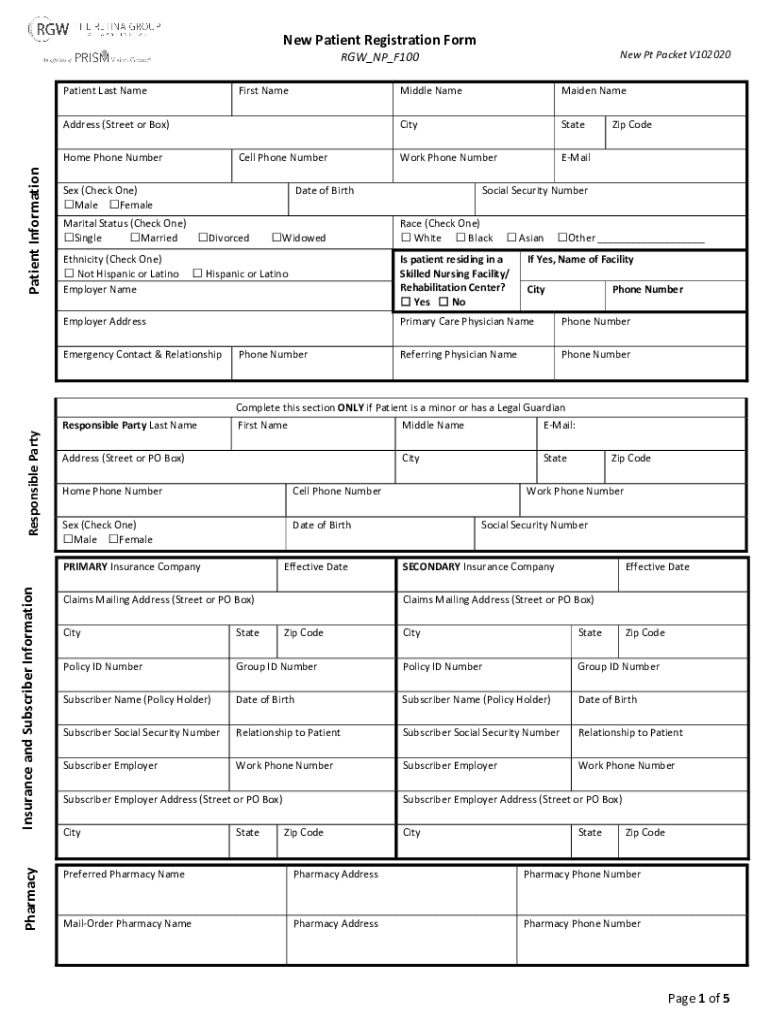
New Patient Registration FormNew Pt Packet V102020RGW NP F100 Patient Last NameFirst NameAddress (Street or Box)Patient InformationHome Phone NumberCell Phone NumberSex (Check One) Male FemaleWidowedCityStateWork.
Loading

Open form follow the instructions

Easily sign the form with your finger

Send filled & signed form or save
How to fill out the RGW New Patient Registration Form Packet online
Completing the RGW New Patient Registration Form Packet online is a straightforward process that ensures your personal and medical information is accurately recorded. This guide provides clear instructions on how to efficiently fill out each section of the form to facilitate your registration.
Follow the steps to complete your registration form online
- Click the ‘Get Form’ button to access the RGW New Patient Registration Form Packet and open it in your preferred platform.
- Begin by filling in your personal details, including your patient last name, first name, address, and phone numbers. Ensure that your email address is accurate for communication regarding your registration.
- Indicate your sex by checking the appropriate box and provide additional demographic information such as race and ethnicity, which are often used for statistical purposes.
- Provide information about your primary care physician and any referring physicians, including their names and contact details.
- Fill in the emergency contact details along with their relationship to you. It is important to provide accurate phone numbers for your emergency contacts.
- If applicable, complete the section concerning a responsible party, which is essential for minors or individuals with legal guardians.
- Next, provide insurance information, including primary and secondary insurance companies, policy IDs, and effective dates. This ensures that billing can be processed correctly.
- Review and complete the consent to treat and financial responsibility sections. You must sign and date these sections to authorize medical treatment and confirm your acknowledgment of financial responsibilities.
- Select your preferred method of communication for appointment reminders and updates. Carefully consider the implications of each communication method, especially if privacy is a concern.
- Complete any additional sections, such as approved HIPAA contacts if you wish to grant permission for others to receive your information.
- Finally, review all information for accuracy and completeness. Once satisfied, you can save changes, download, print, or share the form as necessary.
Start your registration process by completing the RGW New Patient Registration Form Packet online today.
Experience a faster way to fill out and sign forms on the web. Access the most extensive library of templates available.
Use professional pre-built templates to fill in and sign documents online faster. Get access to thousands of forms.
If you believe that this page should be taken down, please follow our DMCA take down process here.