Loading
Get Step By Step Guide: Director Changes (cor39)
How it works
-

Open form follow the instructions
-

Easily sign the form with your finger
-

Send filled & signed form or save
How to fill out the Step By Step Guide: Director Changes (CoR39) online
This guide provides clear, detailed instructions for completing the Director Changes (CoR39) form online. Following these steps will help ensure that you accurately submit the necessary information.
Follow the steps to complete the form online with ease.
- Press the ‘Get Form’ button to obtain the form and open it in your preferred online editing tool.
- Ensure you have registered a customer code. If not, consult the Customer Registration guide for assistance.
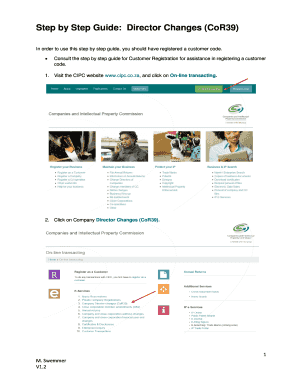
- Visit the CIPC website and select the 'On-line transacting' option.
- Choose 'Company Director Changes (CoR39)' from the online services.
- Select 'Customer Login' or 'Amend Company Director Details' on the new page.
- Fill out the required fields: Customer Code, Customer Password (case sensitive), Security Code (case sensitive), and accept the CIPC Terms & Conditions.
- Once logged in, navigate to the landing page of E-services and select 'Amend Company Director Details.'
- Input the relevant Enterprise Number and click 'Validate' to proceed.
- Review the displayed Enterprise Details and Current Directors. Enter the First Listed Director's ID Number, and confirm that these details correspond to the company directing changes.
- Indicate whether you want to add a New Director or if there are No New Directors. If resigning a director, select 'No New Directors.'
- Complete all necessary fields for the new Director and click 'Save.'
- Review the ID Number/passport, Name, and Surname of the added director. To add more directors, click 'Add Another New Director;' otherwise, click 'Continue.'
- Check the director details provided. Please remember that directors cannot share email addresses or phone numbers. If everything is correct, click 'Continue.'
- Confirm the current directors' details, editing if needed. To edit a current director's information, select 'Edit,' and click 'Save' thereafter.
- Review the indicated director changes. Click 'Edit' to make any additional modifications. After all changes, click 'Continue.'
- All director details will be listed. Select 'View/Edit' if any details require attention. Once finished, click 'Lodge.'
- A tracking number for your transaction will be displayed. Expect an email containing all relevant documentation to be sent to you and all company directors.
- If you do not receive the document needing a director's signature, log back in to the CIPC website to re-request it under 'Disclosures/certificates.' Ensure your email address is correct in your profile to receive documents.
- An authorized director must sign the CoR39 document emailed to you and return it with all supporting documents to eServicesCOR39@cipc.co.za.
- Required supporting documents include a certified identity copy of the applicant, resolution for changes, notice and minutes from the decision meeting, certified IDs of affected directors, and a mandate for third-party submissions.
- When emailing supporting documents, include the transaction's tracking number in the email subject for proper processing; emails without this will be rejected.
- The submitted documents will be processed upon receipt. For guidance on service delivery standards, review the CIPC website.
- After processing, a certificate confirming the director amendments will be emailed to the customer code owner.
- If you have not received an email after the expected turnaround time, log an enquiry via the CIPC website.
Begin completing the Director Changes (CoR39) form online today.
A corporation can intimate a change in the Board of Directors by filing e-Form DIR-12 with the Registrar of Companies (ROC) within 30 days from the date the resolution for change in director is moved in the company meeting.
Industry-leading security and compliance
US Legal Forms protects your data by complying with industry-specific security standards.
-
In businnes since 199725+ years providing professional legal documents.
-
Accredited businessGuarantees that a business meets BBB accreditation standards in the US and Canada.
-
Secured by BraintreeValidated Level 1 PCI DSS compliant payment gateway that accepts most major credit and debit card brands from across the globe.