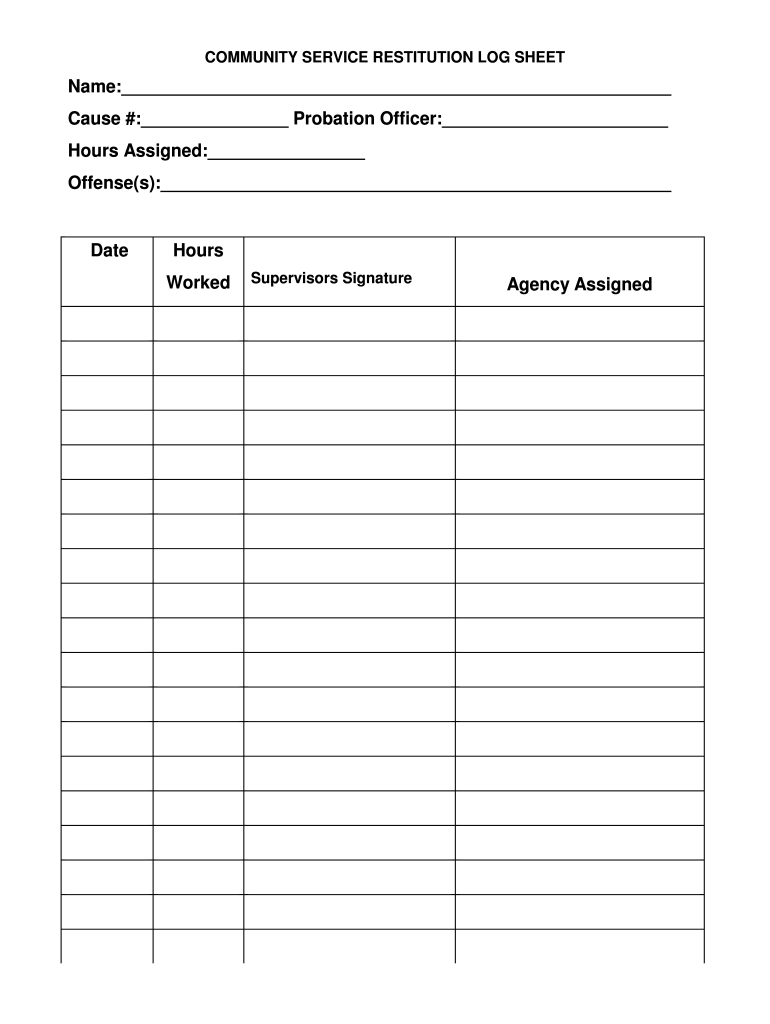
Hours Assigned: Offense(s): Date Hours Worked Supervisors Signature Agency Assigned.

Open form follow the instructions

Easily sign the form with your finger

Send filled & signed form or save
How to fill out the TX Community Service Restitution Log Sheet - Grayson County online
Filling out the TX Community Service Restitution Log Sheet is an important task for individuals completing community service requirements in Grayson County. This guide provides clear and detailed instructions on how to accurately complete the form online, ensuring all information is recorded correctly.
Follow the steps to fill out the TX Community Service Restitution Log Sheet effectively.
- Press the ‘Get Form’ button to access the form and open it in your preferred document editor.
- In the 'Name' field, enter your full name as it appears in legal documents.
- For the 'Cause #' section, input your assigned cause number, which should be provided by your probation officer.
- In the 'Probation Officer' field, write the name of your supervising probation officer.
- For 'Hours Assigned', indicate the total number of community service hours you are required to complete.
- In the 'Offense(s)' section, briefly describe the offense or offenses for which you are fulfilling community service.
- As you complete hours worked, fill in the 'Date' column with the respective date on which you performed the community service.
- Record the 'Hours Worked' for each date in the appropriate field.
- Once hours are complete, ensure you obtain the 'Supervisor's Signature' from the authorized individual supervising your community service.
- In the 'Agency Assigned' section, write the name of the agency where you are completing your community service.
- After all fields are completed and verified for accuracy, you can save the changes, download, print, or share the completed form as needed.
Complete your documents online now for a smoother process.
Experience a faster way to fill out and sign forms on the web. Access the most extensive library of templates available.
Related content
Jun 21, 2016 — ... restitution fees, the courts can apply community service restitution...
Community Supervision Tracking System (CSTS). The CSTS requires departments to submit...
Daily court reporter ... 17, 2020. The public can pro-vide comments on the “Contact...
Use professional pre-built templates to fill in and sign documents online faster. Get access to thousands of forms.
If you believe that this page should be taken down, please follow our DMCA take down process here.