Loading
Get Ha 520 Form - Fill Out And Sign Printable Pdf Template
How it works
-

Open form follow the instructions
-

Easily sign the form with your finger
-

Send filled & signed form or save
How to fill out the Ha 520 Form - Fill Out And Sign Printable PDF Template online
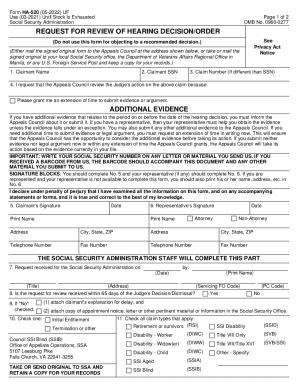
The Ha 520 Form is a crucial document used for requesting a review of a hearing decision or order from the Social Security Administration. This guide will provide you with clear steps on how to complete the form online, ensuring your request is correctly submitted.
Follow the steps to fill out the Ha 520 Form accurately.
- Click ‘Get Form’ button to obtain the Ha 520 Form and open it in your preferred PDF editor.
- In the first section, enter the claimant's name, social security number (SSN), and claim number if different from the SSN.
- State the reason for requesting the Appeals Council to review the judge's action on your claim in the provided space.
- If you have additional evidence, inform the Appeals Council by indicating its presence and providing necessary details.
- In the signature block, the claimant must sign and date the form. If there is a representative, they should complete their section as well.
- Ensure all required fields are completed, especially the representative's name, address, and contact information if applicable.
- Review the completed form for accuracy and completeness to prevent any delays in processing.
- Once completed, save the changes, and download the form. You may also print it or share it as necessary before submission.
Complete your Ha 520 Form online today to ensure swift processing of your request.