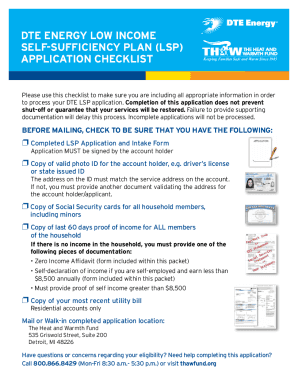
Get Mi Dte Energy Low Income Self-sufficiency Plan (lsp) Application 2016-2026
How it works
-

Open form follow the instructions
-

Easily sign the form with your finger
-

Send filled & signed form or save
How to fill out the MI DTE Energy Low Income Self-Sufficiency Plan (LSP) Application online
This guide provides clear and comprehensive instructions for completing the MI DTE Energy Low Income Self-Sufficiency Plan (LSP) Application online. Whether you are a first-time applicant or re-enrolling, our step-by-step guidance is designed to assist you in submitting your application accurately.
Follow the steps to complete your application with ease.
- Press the ‘Get Form’ button to obtain the LSP application form and open it in your preferred online editor.
- Begin by providing the primary account holder's address information, including their name, social security number, birth date, and DTE Energy account number. Ensure all personal information is accurate.
- Fill out the DTE Energy service address, and if applicable, the mailing address—be sure to confirm the addresses match necessary documents.
- Enter the contact information, including phone numbers and email address. Specify if permission is granted to receive text updates.
- Select the primary reason for applying for energy assistance by checking the appropriate box, such as low-income household or medical hardship.
- Indicate whether any previous energy assistance was received in the past 12 months. If yes, provide the date and amount of assistance.
- Complete the household information section by listing all household members, their relationships to the applicant, social security numbers, and birth dates. Include any applicable status checks.
- In the household income worksheet, report employment income, unearned income, or indicate if there is no income by completing the respective sections thoroughly.
- For self-employed individuals, fill out the self-employment declaration accurately and include required documents if necessary.
- Ensure the application is signed and dated by the account holder. Double-check for completeness to avoid delays.
- Once all sections are completed, save changes, and choose the option to download or print the application. Prepare to submit it by email or mail to The Heat and Warmth Fund (THAW).
Submit your application online today to ensure your enrollment in the Low Income Self-Sufficiency Plan!
STATE EMERGENCY RELIEF (SER) » Online through MI BRIDGES at NewMiBridges.Michigan.Gov. » Pick up a paper application at your local MDHHS office, complete the application and return it to your local MDHHS office. Contact MDHHS at Michigan.Gov/MDHHS/Contact-MDHHS. UTILITY ASSISTANCE - State of Michigan michigan.gov https://.michigan.gov › info › toolkits › assistance michigan.gov https://.michigan.gov › info › toolkits › assistance