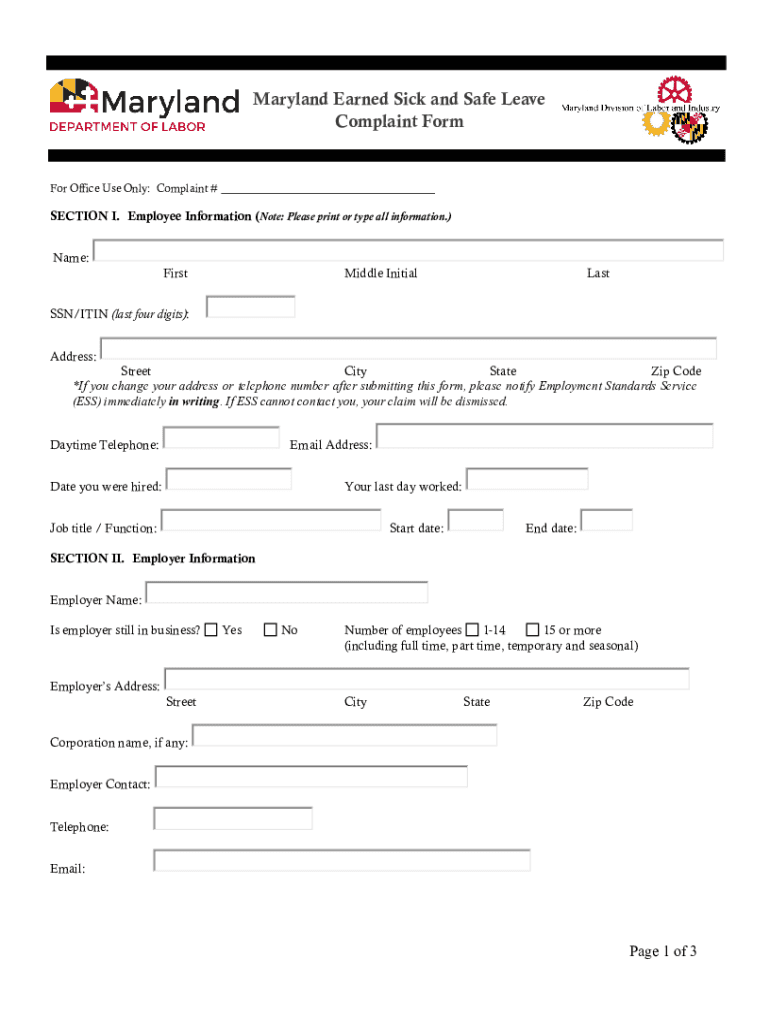
Maryland Earned Sick and Safe Leave Complaint Former Office Use Only: Complaint #SECTION I. Employee Information (Note: Please print or type all information.) Name: FirstMiddle InitialLastSSN/ITIN.
Loading

Open form follow the instructions

Easily sign the form with your finger

Send filled & signed form or save
How to fill out the MD Earned Sick And Safe Leave Complaint Form online
This guide provides a comprehensive overview of how to complete the MD Earned Sick And Safe Leave Complaint Form online. Follow the outlined steps to ensure that your complaint is submitted correctly and thoroughly.
Follow the steps to fill out the complaint form accurately.
- Press the ‘Get Form’ button to access the MD Earned Sick And Safe Leave Complaint Form and open it in your preferred online format.
- Begin with Section I, which requests your employee information. Fill in your name, Social Security Number or ITIN (last four digits), address, email, and phone number. Ensure that all information is accurate, as any changes must be communicated to the Employment Standards Service to avoid dismissal of your claim.
- In Section II, provide your employer's details. This includes their name, whether they are still in business, the number of employees, and their contact information. You should also note any alternative addresses associated with your employer.
- Proceed to Section III, where you will detail your employment information. Respond to the questions concerning your work hours, industry, employment status, and duties. Include any relevant records of your employer’s sick leave policy and your available sick leave records.
- Fill in the specifics of your complaint, including dates of alleged violations, the total hours claimed, and how you believe the violations occurred. Use checkboxes where applicable to indicate all relevant claims.
- In Section IV, elaborate on the complaints in detail. Provide specific information regarding the violation, including witnesses and any documents that support your case.
- Complete the form by certifying the accuracy of your statements in Section V. Sign and date the form, providing your printed name, and ensure to check the confidentiality box if you wish.
- Finally, save any changes you've made to the document. Download and print your completed form for your records. You may also share it as needed.
Start filling out your MD Earned Sick And Safe Leave Complaint Form online today to ensure your rights are protected.
Experience a faster way to fill out and sign forms on the web. Access the most extensive library of templates available.
Related content
Maryland Earned Sick and Safe Leave Complaint Form. For Office Use Only: Complaint #...
Feb 11, 2018 — MARYLAND EARNED SICK AND SAFE LEAVE EMPLOYEE NOTICE. The Maryland Healthy...
The MDSAP is a way that medical device manufacturers can be audited once for compliance...
Get answers to your most pressing questions about US Legal Forms API.
Is PTO the same as sick leave?
Knowing the difference between PTO vs sick time will help you create the most appropriate policies in your employee benefits package. While PTO includes time off for any reason, such as vacation or jury duty, sick time is strictly limited to situations when the employee is ill or caring for someone who is ill.
What is the sick safe leave law in Maryland?
Pursuant to Maryland law, employees are entitled to earn sick and safe leave at the rate of 1 hour for every 30 hours that an employee works up to a maximum of 40 hours. To comply with the law, employees will be awarded forty (40) hours of paid/unpaid sick leave at the beginning of each year.
What is the new sick leave law in Maryland?
Senate Bill 275, or the Time to Care Act of 2022, entitles Maryland workers to up to 12 weeks of partially paid leave to deal with their own or a family member's serious illness, welcome a new child, or address needs related to a family member's military deployment.
What happens when you run out of PTO and get sick?
What happens when an employee runs out of PTO and gets sick? There is no federal law requiring employers to provide sick leave, paid or unpaid. As an employer, you are only required to provide the amount of PTO that you agreed to provide in the employment contract or agreement.
How to file a complaint against Maryland unemployment office?
Maryland Unemployment Insurance Complaints by Phone If you need to reach a live claims agent to file a complaint or inquire about a claim, call 667-207-6520. Live claims agents are available from 8:00 a.m. to 4:00 p.m., Monday through Friday. Hours may be modified during holidays.
Does Maryland have a paid sick leave law?
All employers with employees whose primary work location is in Maryland are required to provide earned sick and safe leave, regardless of where the employer is located. Employers who employ 15 or more employees are required to provide paid earned safe and sick leave.
How do I file a complaint against my employer in Maryland?
An applicant or employee may file a written complaint with the appropriate head of the principal unit within 30 days after the complainant knew, or reasonably should have known, of the alleged violation of the State's Fair Employment Practices Policy (SPP 5-211).
Use professional pre-built templates to fill in and sign documents online faster. Get access to thousands of forms.
If you believe that this page should be taken down, please follow our DMCA take down process here.