Loading
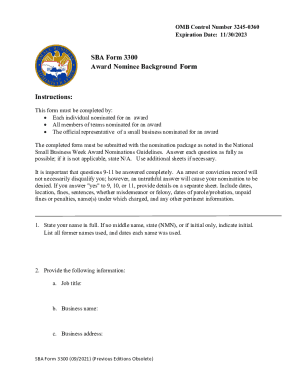
Get Fillable Online 3300-award Nominee Background Form Fax ...
How it works
-

Open form follow the instructions
-

Easily sign the form with your finger
-

Send filled & signed form or save
How to use or fill out the Fillable Online 3300-Award Nominee Background Form Fax online
Completing the Fillable Online 3300-Award Nominee Background Form is essential for anyone nominated for an award. This guide will provide clear, step-by-step instructions to help you accurately fill out the form online.
Follow the steps to successfully complete the form.
- Click the ‘Get Form’ button to access the form and open it in your editor.
- Begin by entering your full name, including any former names you've used along with their dates.
- Provide your job title, business name, business address, phone number, mobile number, fax number, and business email address in the designated fields.
- Input your home address, including your city, state, and zip code.
- Enter your date of birth in the specified format (month, day, year).
- Indicate whether you are a United States citizen by selecting the appropriate option.
- If you are not a United States citizen, provide details about your lawful permanent residency, including your alien registration number.
- Answer whether you are currently debarred, suspended, or ineligible for contracts or financial assistance from any Federal agency.
- Disclose if you have been notified of any delinquent Federal taxes.
- Answer questions regarding any current indictments, charges, or convictions, providing additional details on a separate sheet if necessary.
- Once all fields are completed, review your answers for accuracy. Save changes, then download, print, or share the form as needed.
Complete your nomination package by filling out the form online today.
Certifying an effort report in Workday A certified effort report is like a receipt for payroll expenses - it assures a sponsor that they only paid for work that benefited their project.