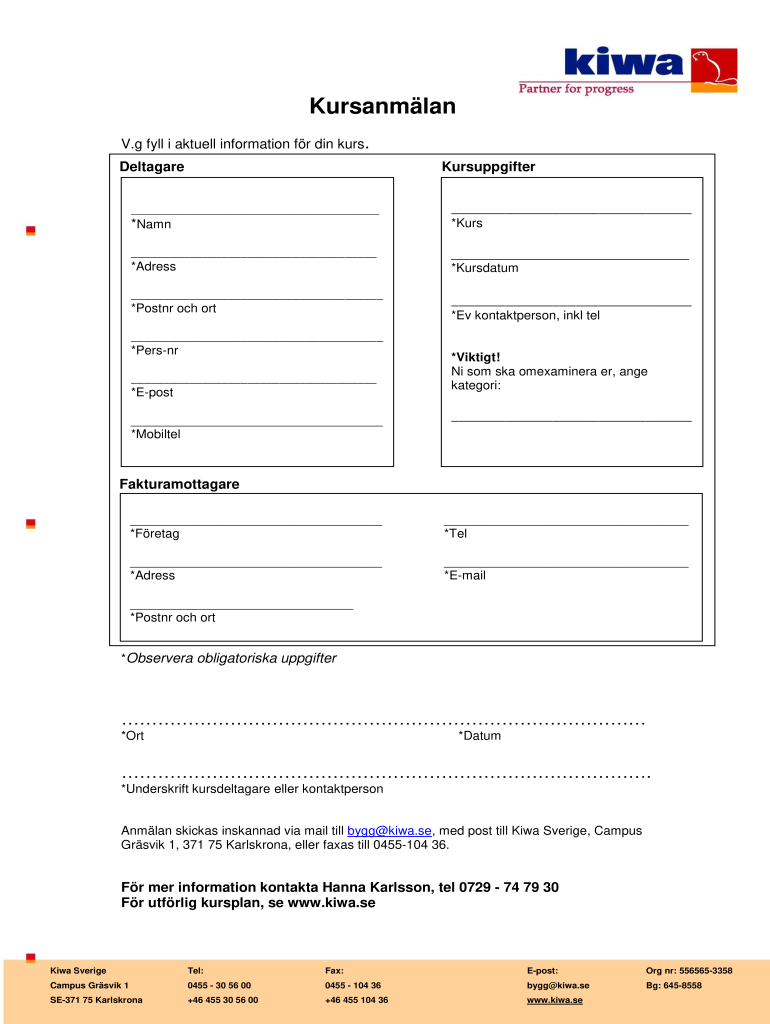
Kursanmlan V.g fall i actually information for din Kurt. Delaware Kursuppgifter *Name *Kurt *Address *Poster och ORT *Person *Post *Mobil tel *Kursdatum *eV kontaktperson, ink tel *Visit! Ni some.

Open form follow the instructions

Easily sign the form with your finger

Send filled & signed form or save
How to fill out the SE Kiwa Kursanmalan online
Filling out the SE Kiwa Kursanmalan form online can be a straightforward process with the right guidance. This guide provides clear steps to help you complete the form accurately and efficiently, ensuring all required information is included.
Follow the steps to fill out the SE Kiwa Kursanmalan form online.
- Click ‘Get Form’ button to access the SE Kiwa Kursanmalan form and open it in your preferred editor.
- In the 'Deltagare' section, enter the participant's name as required in the designated field.
- Fill out the 'Kursuppgifter' section by selecting the course name from the available options.
- Provide your address in the 'Adress' field, ensuring that you include all relevant details.
- Enter your postal code and city in the 'Postnr och ort' field.
- Complete the 'Pers-nr' section by entering your personal number.
- Fill in your email address in the 'E-post' field.
- Provide your mobile phone number in the 'Mobiltel' section.
- Indicate the course dates in the 'Kursdatum' field.
- If applicable, include the contact person's information, including their telephone number.
- For those who need to re-examine, make sure to specify the category in the provided section.
- In the 'Fakturamottagare' section, enter the name of the company responsible for the invoice.
- Provide the company's telephone number and mobile phone number in their respective fields.
- Fill in the company's address in the designated address field.
- Complete the invoice recipient's email address in the 'E-mail' section.
- Enter the postal code and city for the invoice recipient in the corresponding fields.
- At the end of the form, include the city and date where indicated.
- Secure a signature from the participant or contact person in the designated signature area.
- Once all fields are completed, save your changes. You can choose to download, print, or share your completed form.
Start filling out your SE Kiwa Kursanmalan online today to ensure your course registration is processed smoothly.
Experience a faster way to fill out and sign forms on the web. Access the most extensive library of templates available.
Use professional pre-built templates to fill in and sign documents online faster. Get access to thousands of forms.
If you believe that this page should be taken down, please follow our DMCA take down process here.