Loading
Get Va Form 21-0788 - Veterans Benefits Administration
How it works
-

Open form follow the instructions
-

Easily sign the form with your finger
-

Send filled & signed form or save
How to fill out the VA Form 21-0788 - Veterans Benefits Administration online
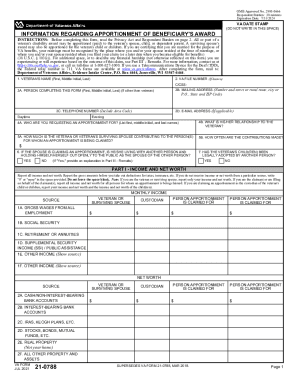
Completing the VA Form 21-0788 is an essential step for those seeking to apportion benefits from a veteran's disability award. This guide provides clear and supportive instructions for filling out the form online to ensure a smooth submission process.
Follow the steps to successfully complete the VA Form 21-0788 online.
- Click 'Get Form' button to access the form and open it in the digital editor.
- Begin by entering the veteran's name in the designated box, ensuring you include their first name, middle initial, and last name.
- Next, if known, input the VA file number associated with the veteran.
- If someone other than the veteran is completing the form, provide their full name in the designated field.
- Fill in the mailing address for the person completing the form, including the street address, city, state, and ZIP code.
- Include the daytime and evening telephone numbers of the person completing the form, including the area code.
- If applicable, enter an email address for the person completing the form.
- Specify who you are requesting an apportionment for by listing their full name.
- Indicate the relationship of the person for whom the apportionment is requested.
- Detail the amount the veteran or their surviving spouse is contributing to the individuals for whom an apportionment is being claimed.
- Select how often these contributions are made (e.g., weekly, monthly).
- If the spouse is claiming an apportionment, state whether they are living with another person and openly presenting themselves as such.
- Indicate whether the veteran's child has been legally adopted by another person.
- In Part I, report the gross income from all sources for the veteran, surviving spouse, custodian, and the person for whom apportionment is claimed.
- In Part II, list monthly living expenses for the veteran, custodian, and the person for whom apportionment is claimed.
- Use Part III for any remarks or additional information about financial hardship not indicated elsewhere on the form.
- In Part IV, the veteran or claimant must sign and date the form to certify that all information is true and correct.
- Once you have completed the form, save your changes, download it if necessary, or print it for submission.
Take the next step towards securing benefits by completing the VA Form 21-0788 online today.
You must visit a Driver Service Center to make changes to your name. You will need your current license and the original or certified document showing the reason for the change; for example: An original or certified marriage certificate, original or certified copy of your divorce decree, or the original court order.